
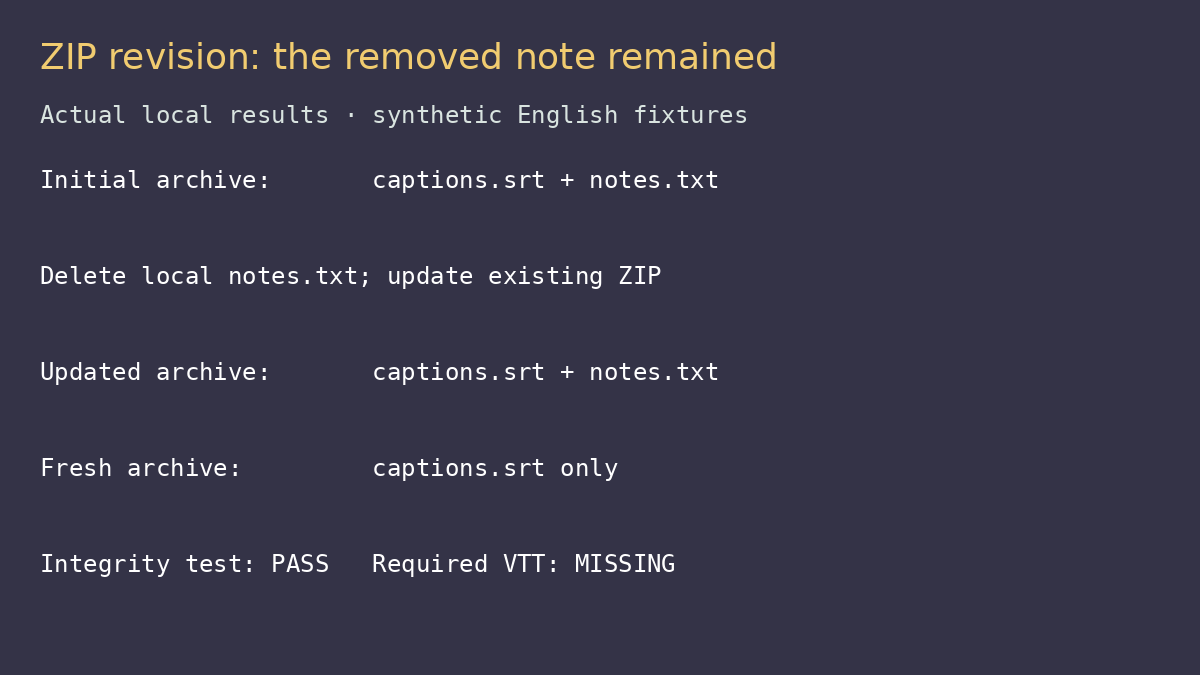
Deleting an old note from your delivery folder does not necessarily remove it from an existing ZIP. We created a caption bundle with an SRT and a notes file, deleted the notes file locally, then reran the same zip -r command. The archive still contained the old note. A fresh archive did not.
That distinction matters when a video creator sends revised subtitles to a client. An old delivery instruction inside the ZIP can contradict the final files even though the archive opens normally. We tested Info-ZIP for this narrow handoff: produce a bundle that reflects the intended folder and verify that required files are actually present.
What we put in the bundle
The local folder contained a synthetic English SRT and a note naming interview-final.mp4 with language en-US. We used Info-ZIP Zip 3.0 and UnZip 6.00 from the installed Ubuntu environment. These are mature command-line utilities, not new releases; the test version is an observation, not advice to install an unpatched historical build.
The test used trusted files we created ourselves and controlled ASCII paths. It did not exercise hostile archives, encryption, huge recordings, Unicode filenames or platform-specific extraction. Use maintained distribution packages and do not generalize this workflow into an archive-security audit.
The first command was straightforward
zip -r delivery.zip deliveryThe archive listed the directory entry plus delivery/captions.srt and delivery/notes.txt. Reading the archived SRT back with Python’s ZIP reader produced bytes identical to the source file. For a small trusted caption bundle, the command kept both paths and content intact.
This avoids a graphical selection step when the delivery folder is already curated. It is useful in repeatable scripts, but the folder is still your responsibility. The archiver does not know which note is current or which caption format the client requested.
Rerunning the command was an update, not a clean snapshot
We removed notes.txt from the folder and executed the same command against the existing archive. The output said it was updating the remaining entries. Listing the resulting archive showed that the deleted note was still present.
The software did not have to read a missing local file to preserve the old archive member. That is the workflow trap: using a familiar filename makes the command look like a fresh export while it is modifying an existing collection. For a final client handoff, create a new archive name and inspect its contents instead of assuming the folder and archive now match.
| Operation | Archive contents we observed | Result for a clean handoff |
|---|---|---|
| Initial delivery.zip | SRT and notes | Matches initial folder |
| Update after deleting notes locally | SRT and old notes | Stale member survived |
| Create fresh.zip after deletion | SRT only | Matches the remaining fixture files |
An integrity pass did not prove completeness
We ran unzip -t delivery.zip on our trusted archive. It reported no errors in the compressed data and returned status 0. Yet the archive contained no VTT file. That was intentional in the fixture: it demonstrated that an integrity test checks the stored members, not the requirements of the delivery.
If a client asked for SRT and VTT, this ZIP would fail the job even though the stored data tested cleanly. The right second check is a manifest comparison. Name the required files, compare those paths with the archive listing, and separately inspect the captions’ text and timing.
The useful parts and the real drawbacks
Useful: predictable command-line packaging and inspectable member paths. We verified exact SRT bytes after a local round trip. That is a concrete reason to use it for a prepared delivery folder, rather than treating a ZIP icon as proof that the handoff is complete.
Awkward: updating an existing archive can retain stale files. The behavior is manageable, but it makes a reused filename risky when an editor expects a clean snapshot. Our recommendation for this task is a fresh archive path plus a manifest check, not a complicated update command that the sender has not tested.
Outside its scope: verifying subtitle syntax, matching the video version, checking speech or confirming what a recipient’s extraction application will do. We did not measure compression gains. Tiny caption files are not a useful basis for promises about bandwidth or big-media speed.
Do not call a ZIP private merely because it is local. Our tested archive was not encrypted, and we did not test a secure sharing channel. Anyone with access to that file can read its caption text and notes with a compatible reader. Keep confidential assets out of a public download folder.
Our delivery choice
For a curated local folder, Info-ZIP did the packaging step we expected. For a revision using the same archive path, it kept a file we had removed locally. We would send a freshly named archive only after checking its required member list and reviewing the final caption files.
See the official Info-ZIP project page and our directory profile. The project’s upstream release history is old; obtain maintained packages for your environment. Tests ran October 12, 2026 (Asia/Shanghai), with local synthetic files. No GUI, recipient-platform, malicious-file, encryption or large-file validation was performed.