
A short-video creator drafting a hook, demo and closing instruction needs to revise the words before handing the idea to an editor. We used Excalidraw’s browser canvas for that small task, changed the text and font, reloaded the page, then tried two output routes. The revised note survived the reload and PNG copying worked. Downloading a PNG file hit a browser permission error, so this test does not establish a complete downloadable, editable handoff.
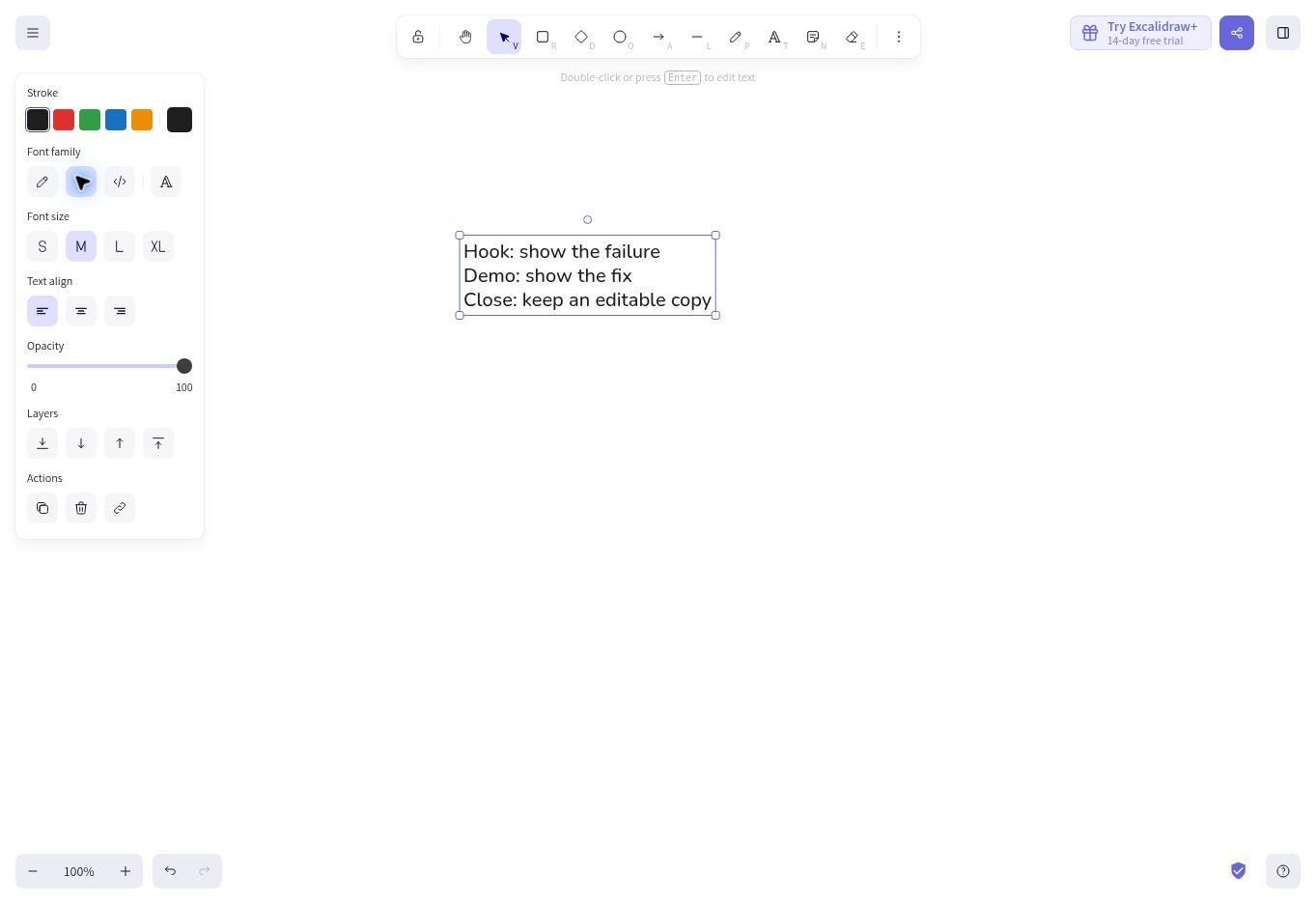
What we put on the canvas
Hands-on testing took place on October 13, 2026 in a desktop Chrome cloud browser at excalidraw.com, with the interface in English. We did not sign into an account or create a collaboration session. This was the public web app, not a test of Excalidraw+ or a pinned desktop build.
Hook: show the failure
Demo: show the fix
Close: save the source
We selected the Text tool, clicked the canvas and entered these three lines as one text object. That is a rough production note, not a finished illustration. The intended handoff needed both a readable preview and a way to preserve editing; the output restriction narrowed what we could verify. We still tested whether the note could be created, revised, retained across a reload and copied as an image.
Starting with one text object keeps the editorial problem small. An editor can read the sequence without interpreting a network of arrows. It also means the three lines share a style. This fixture does not establish how a complex multi-panel storyboard behaves, and we did not verify connectors, image imports or grouping.
Changing the note is an object operation
After selecting the text, the left panel exposed Font family, Font size, Text align and Opacity. We switched from Hand-drawn to Normal. The visible lettering changed to the Normal style; we then entered text editing and replaced the closing line with Close: keep an editable copy. The screenshot shows the final wording.
The interface distinguishes selecting an object from editing its text. With the object selected, the on-canvas hint says to double-click or press Enter to edit. During text editing, the hint changes to Esc or Ctrl+Enter to finish. That distinction matters when the task is a wording correction: changing font controls does not itself put a cursor into the note.
For this fixture, the Normal font was useful because the note was an instruction to a collaborator rather than a sketch label. That is an editorial preference, not a readability measurement. We did not test a font survey, accessibility contrast, screen-reader navigation or presentation viewing distances. The successful observation is that the control changed the text style while retaining the words.
One reload worked; it is not a backup policy
We reloaded the same tab after completing the revision. Once the page finished loading, the canvas showed the changed closing line and Normal font. This verifies that this session retained this one note through one ordinary reload.
It does not prove the scene will survive browser storage deletion, a private session ending, a new device or an account change. The public app’s storage warning tells readers to save drawings regularly because browser storage can be cleared. For an editor handoff, a local canvas that happens to reappear is insufficient evidence of a durable backup.
The official repository describes .excalidraw JSON export as the open drawing format and lists PNG, SVG and clipboard output. Those are documented capabilities. We did not obtain and reopen an editable scene file in this test, so we cannot claim an end-to-end editable backup passed. Treat a saved scene and a preview image as separate deliverables, and verify the scene reopens before discarding other copies.
The output route made a difference
The Export image panel showed Only selected, Background, Dark mode, Embed scene and 1×, 2× and 3× scale controls. For our selected text, Only selected and Background were on, Dark mode and Embed scene were off, and scale was 1×. These are observed settings, not a claim that every scene opens with the same defaults.
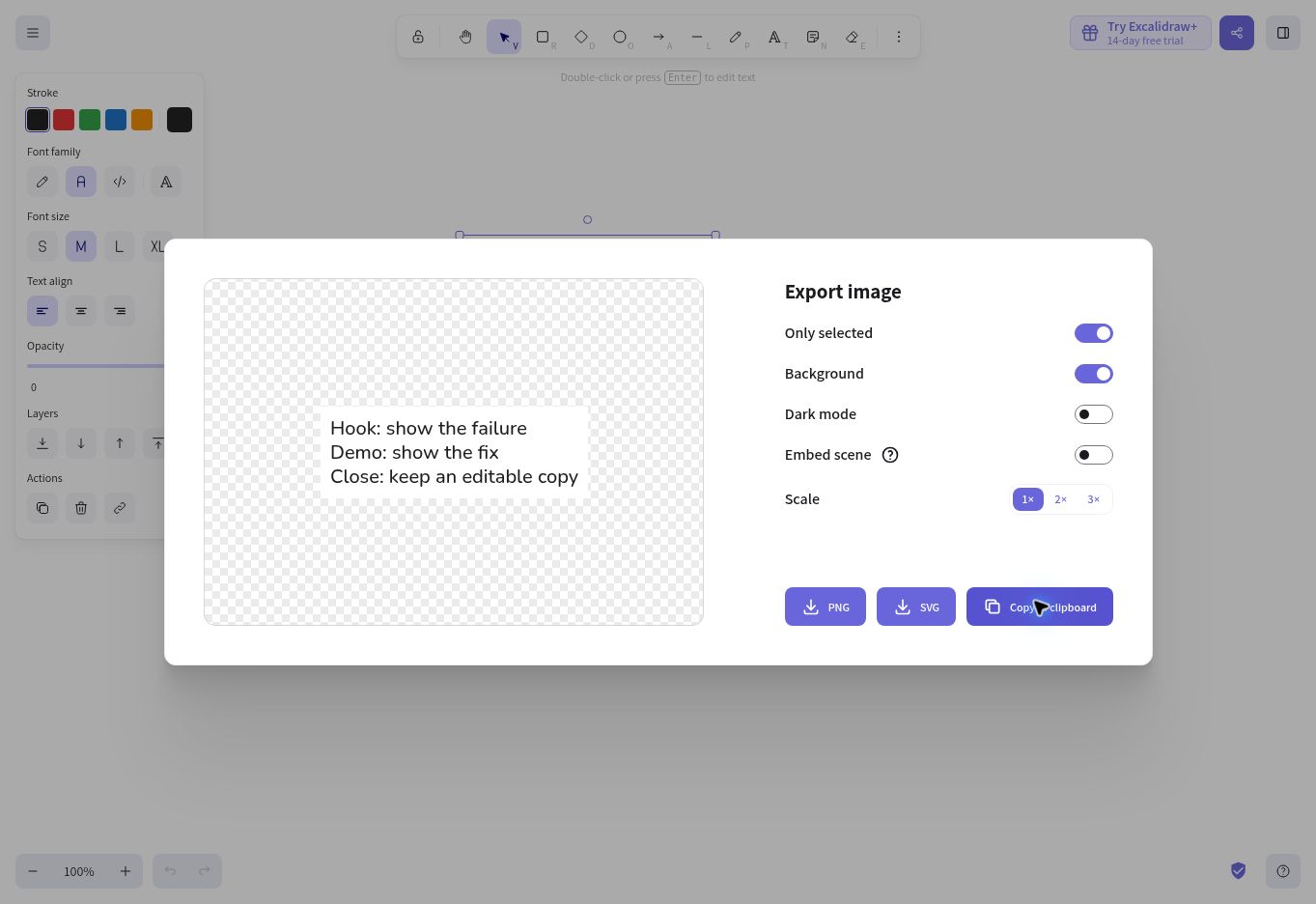
Clicking Export to PNG produced an error stating that showSaveFilePicker was not allowed by the user agent or platform in this context. No downloaded file was confirmed. That is a concrete limitation of this test browser; it is not evidence that PNG export is broken for all Excalidraw users. We did not bypass the browser restriction or substitute a screenshot and call it an app export.
The Copy PNG to clipboard route succeeded. We read an image/png clipboard payload and saved those original bytes for inspection. The resulting actual PNG preview contains the revised three-line note. Clipboard output was therefore a usable preview route here, even though the file-picker route was blocked.
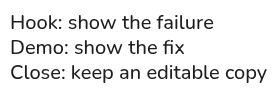
For the successful image route, follow the selected-note PNG copying guide.
Use it for drafting, with a separate delivery check
The tested strength is quick, visible revision of a small storyboard note: the words, font choice and resulting preview can be checked independently. The friction is that selecting a text object and entering its text editor are different steps, while a successful local reload does not establish backup or portability. The blocked file picker adds a browser-specific output constraint.
This review does not cover mobile use, collaboration, Excalidraw+ subscriptions, render speed or complex scenes. We did not test the Embed scene switch, so the copied PNG is presented as an image preview, not a verified editable source. Use the canvas to settle wording, then confirm the recipient can open the scene format you actually deliver.
Primary sources checked October 13, 2026: the official repository and format list and the public app. The screenshots and downloadable preview are our own test artifacts, not vendor marketing images.