
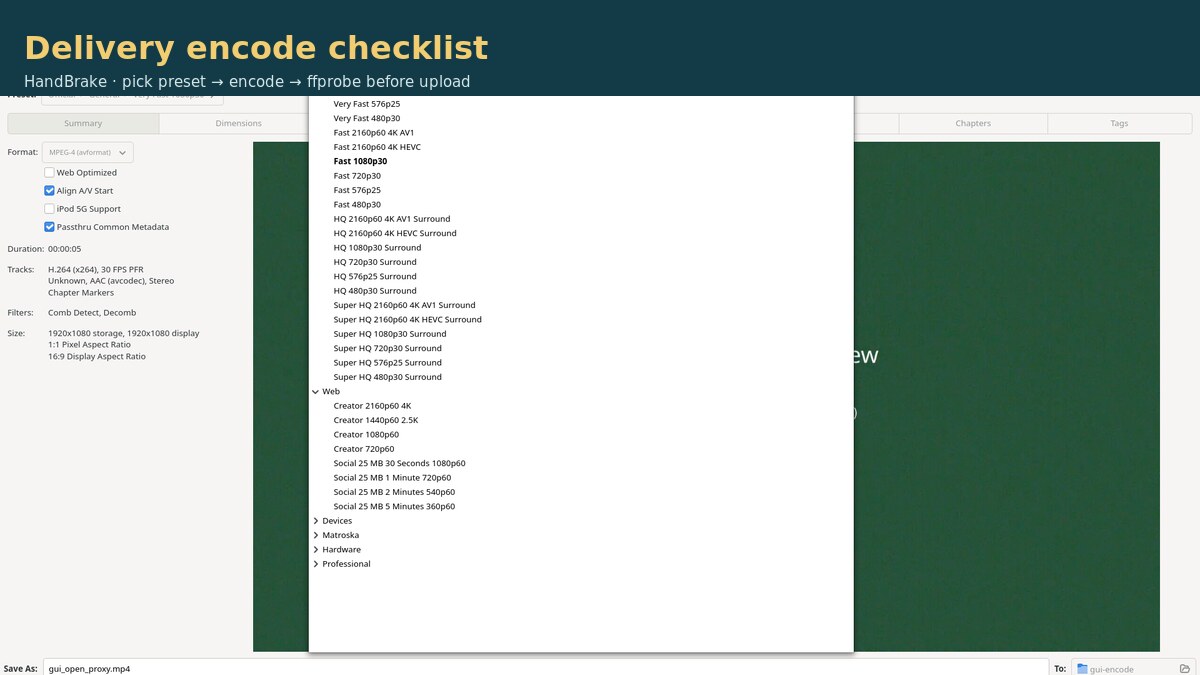
Your cut interview is still too big for the portal or client. Before you upload, run a named HandBrake encode (size-cap or speed preset), then verify byte size, duration, and resolution with ffprobe. This Guide is that checklist — not a quality ranking and not another lossless trim.
This is the delivery-encode checklist. The same-day HandBrake delivery-encode review explains what HandBrake did on our Seattle fixture. Cut/audit first if you still have dead air in the keep merge: LosslessCut export duration audit. Do not treat those as the same article.
Test note: October 16, 2026, Asia/Shanghai, Debian GNU/Linux 13 (trixie). Tools: HandBrake / HandBrakeCLI 1.9.2 (handbrake / handbrake-cli 1.9.2+ds1-1); ffprobe 7.1.5-0+deb13u1. Software x264 only on this box (no NVENC/QSV). Fixture: media/seattle_interview_delivery_src.mp4 — 30.000 s, 1920×1080@30, 1,102,887,801 bytes (1051.80 MiB). Measured outputs under evidence/handbrake/out/.
Accept criteria before you upload
Persona: a creator who already cut the interview and needs a binary go / no-go on the delivery MP4. Minimum checks:
| Check | PASS | FAIL | HOLD |
|---|---|---|---|
| Byte size vs target | File ≤ named portal/client cap (e.g. Social < 25 MB on our 30 s clip) | Bytes over the hard cap | No written size target |
| Duration | Video duration matches source class (ours: 30.000 s video; container ≈30.016 s OK) | Multi-second shorten/lengthen you did not intend | Unknown expected duration |
| Resolution | Matches intended delivery class (ours: stayed 1920×1080) | Unexpected scale/crop | — |
| Codecs / container | H.264 + AAC in MP4 (what we produced) | Wrong container for the portal | Portal codec rules not known |
| Preset documented | Preset name or full CLI recorded on the checklist | — | You cannot reproduce the encode |
1. Write down the size (or speed) target
Record the portal/client limit in MiB or MB before you encode. Our Social path targeted a hard 25 MB label for a 30-second clip. If you only need “much smaller, fast,” a General speed preset may be enough — still write the goal so PASS/FAIL is not a guess.
Source we started from: 1051.80 MiB, 30.000 s, 1920×1080@30.
2. Choose the control: Very Fast vs Social vs explicit RF
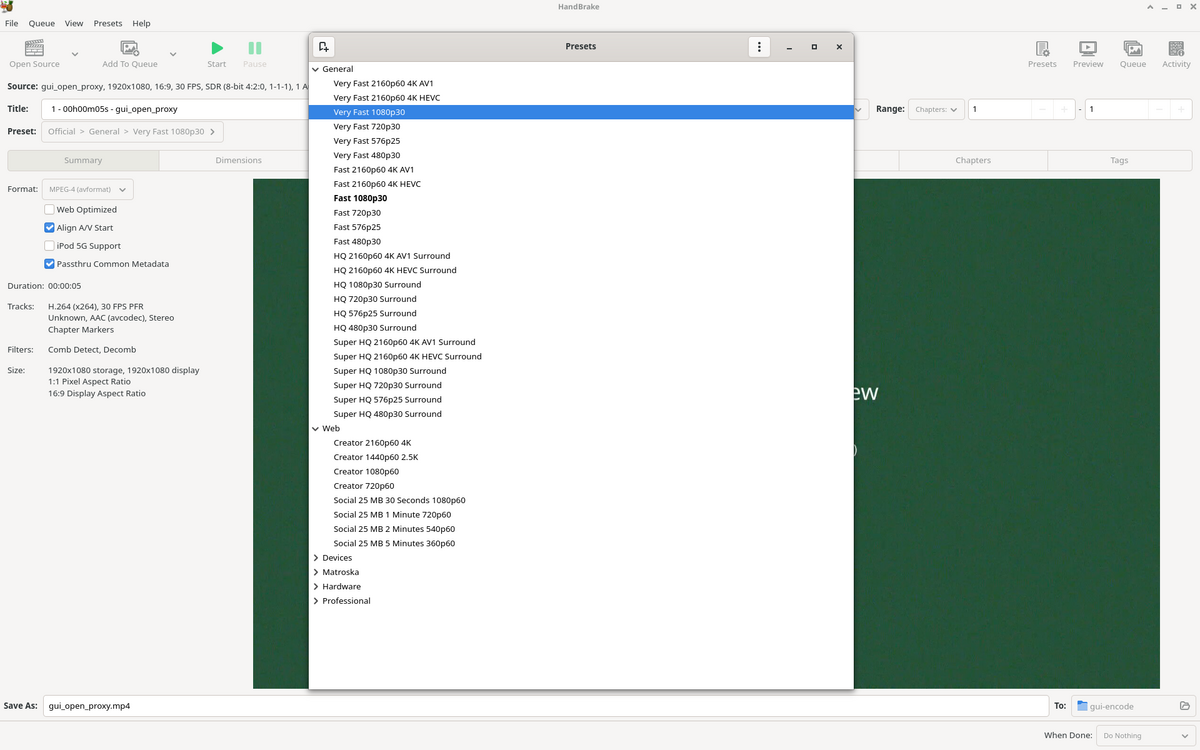
- Very Fast 1080p30 — speed-oriented General preset. On our fixture: 11.58 MiB in 13.672 s (x264 veryfast, RF 24, Main@L4.0).
- Social 25 MB 30 Seconds 1080p60 — named size-cap Web preset. On our fixture: 21.91 MiB (< 25 MB) in 49.182 s (~6 Mbps 2-task path; output stayed 30 fps).
- Explicit x264 RF — when the client wants a quality number in writing. Our RF 22 / medium / High@L4.0 run: 87.46 MiB in 51.236 s — larger than Very Fast on this noisy stand-in.
Teaching point from the same fixture: RF alone ≠ size rank. RF 22 medium produced a bigger file than Very Fast RF 24. Pick by goal (fast/small vs hard byte cap vs RF-in-writing), then verify bytes.
3. Encode with HandBrakeCLI (runnable examples)
Paths below match our evidence tree; swap in your cut file and output name.
# A) Speed preset
HandBrakeCLI -i seattle_interview_delivery_src.mp4 \
  -o seattle_vf1080p30.mp4 --preset "Very Fast 1080p30"

# B) Size-cap Social preset
HandBrakeCLI -i seattle_interview_delivery_src.mp4 \
  -o seattle_social25mb30s.mp4 \
  --preset "Social 25 MB 30 Seconds 1080p60"

# C) Explicit RF (reproducible controls)
HandBrakeCLI -i seattle_interview_delivery_src.mp4 \
  -o seattle_rf22_x264.mp4 \
  --encoder x264 --quality 22 --encoder-preset medium \
  --encoder-profile high --encoder-level 4.0 \
  -r 30 --pfr -w 1920 -l 1080 --crop 0:0:0:0 \
  -a 1 -E av_aac -B 160 -f av_mp4 --optimize
Write the exact preset string (or full command) on the checklist before you move on.
4. Verify with ffprobe before upload
# Size + container duration
ffprobe -hide_banner -show_entries format=size,duration \
  -of default=noprint_wrappers=1 delivery.mp4

# Resolution + video duration + fps
ffprobe -hide_banner -select_streams v:0 \
  -show_entries stream=width,height,duration,r_frame_rate,codec_name \
  -of default=noprint_wrappers=1 delivery.mp4

# Audio codec (expect aac on our MP4s)
ffprobe -hide_banner -select_streams a:0 \
  -show_entries stream=codec_name,duration \
  -of default=noprint_wrappers=1 delivery.mp4
On our Social output we measured size=22974094 (21.91 MiB), format duration=30.016000, video width=1920 height=1080 duration=30.000000 r_frame_rate=30/1, codec_name=h264 + AAC. Same duration/resolution class on Very Fast and RF 22.
Optional frame spot-check (readable titles on our fixture; not a perceptual metric):
ffmpeg -ss 5 -i delivery.mp4 -frames:v 1 check_t5s.jpg5. Worked example: Social 25 MB (measured)
Goal: stay under 25 MB for a 30-second 1080p clip. Command: preset Social 25 MB 30 Seconds 1080p60.
| Metric | Measured |
|---|---|
| Output bytes | 22,974,094 (21.91 MiB) — under 25 MB |
| Wall time | 49.182 s (2-task job in the encode log) |
| Video duration | 30.000 s (container ≈30.016 s) |
| Resolution / fps | 1920×1080 @ 30 fps (source was 30; preset name says 1080p60) |
| Video bitrate (ffprobe) | ~5,957,161 bps |
Verdict on this fixture: PASS for a 25 MB hard cap (21.91 MiB), duration/resolution match, H.264+AAC MP4. Document that fps stayed 30 despite the preset name.
6. Compare the three paths (pick by goal)
| Path | Bytes | MiB | Wall | Control | Pick when… |
|---|---|---|---|---|---|
| Very Fast 1080p30 | 12,144,422 | 11.58 | 13.672 s | x264 veryfast RF 24 Main@L4.0 | You want fast + small, no hard MB label |
| x264 RF 22 medium | 91,704,820 | 87.46 | 51.236 s | RF 22 High@L4.0 | Client asks for RF-in-writing (expect larger than Very Fast here) |
| Social 25 MB 30 Seconds 1080p60 | 22,974,094 | 21.91 (<25 MB) | 49.182 s | ~6 Mbps 2-task; stayed 30 fps | You need a named hard byte cap |
All three: video duration 30.000 s, container ≈30.016 s, 1920×1080. Source was 1051.80 MiB.
Download the checklist
Download the HandBrake delivery-encode checklist (Markdown). Fill target MiB/MB and preset name before you encode, paste ffprobe size/duration/resolution on rejects, and keep the cut master untouched when you upload the encode copy.
FAQ
Which HandBrake preset should I pick for a hard byte cap?
On our October 16, 2026 fixture (HandBrakeCLI 1.9.2 / ffprobe 7.1.5), Social 25 MB 30 Seconds 1080p60 wrote 22,974,094 bytes (21.91 MiB) — under the 25 MB label — in 49.182 s. Very Fast 1080p30 was smaller and faster (11.58 MiB / 13.672 s) but is a speed/RF preset, not a named size cap.
Does a lower RF always mean a smaller file?
Not on this source. Custom x264 RF 22 / medium landed at 91,704,820 bytes (87.46 MiB), larger than Very Fast 1080p30 at RF 24 / veryfast (12,144,422 bytes / 11.58 MiB). RF alone is not a size ranking; preset speed, RF, and content matter.
The Social preset name says 1080p60 — will my 30 fps interview become 60 fps?
Not in our test. The source was 1920×1080@30; the Social output stayed 30 fps (r_frame_rate=30/1) with video duration 30.000 s. Document the measured fps; do not assume the preset name forces 60.
What do I verify with ffprobe before upload?
We checked format size and duration, video stream width/height/duration, and codecs (H.264 + AAC in MP4). All three of our outputs kept 1920×1080 and video duration 30.000 s (container ≈30.016 s). FAIL if bytes exceed your target or duration/resolution diverge from the source you intended to deliver.
Honest limits
- Synthetic Seattle interview stand-in (color + noise panels) — not a real client face shoot; no VMAF / perceptual ranking.
- Software x264 only on this box — NVENC / QSV / SVT-AV1 / HEVC not tested.
- Windows and macOS HandBrake builds not tested.
- Hour-long / multi-GB camera files not tested (30 s fixture only).
- Creator 1080p60 / HQ Surround and other listed presets not run in this batch.
- Subtitle pass-through / burn-in not tested.
- HandBrake re-encodes — wrong tool for “just cut dead air” (use LosslessCut, then this checklist).
When size fails the cap, pick another named preset or lower the bitrate path and re-probe — do not upload on hope. When it passes, upload the encode copy and keep the cut master bit-identical for disputes.
Test basis: CLI sizes, wall times, and ffprobe dumps on October 16, 2026 under evidence/handbrake/. Companion review: HandBrake delivery-encode review. Related cut QA: LosslessCut export duration audit.