
By ToolBrivio Editorial · Hands-on test of HandBrake 1.9.2 (Debian handbrake / handbrake-cli 1.9.2+ds1-1) on Linux, October 16, 2026, plus official documentation where marked. We earn no affiliate commission from links on this page. Research approach · Link disclosure.
LosslessCut already dropped the dead air. The keep merge is still huge—camera bitrate, NLE export, or a near-lossless stand-in—and the platform or client wants a smaller MP4 you can name and re-run. That is a delivery encode, not another lossless cut. We ran it in HandBrakeCLI 1.9.2 on Debian 13 with one official web-style preset, one size-cap Social preset, and one explicit x264 RF command, then checked every output with ffprobe and frame grabs.
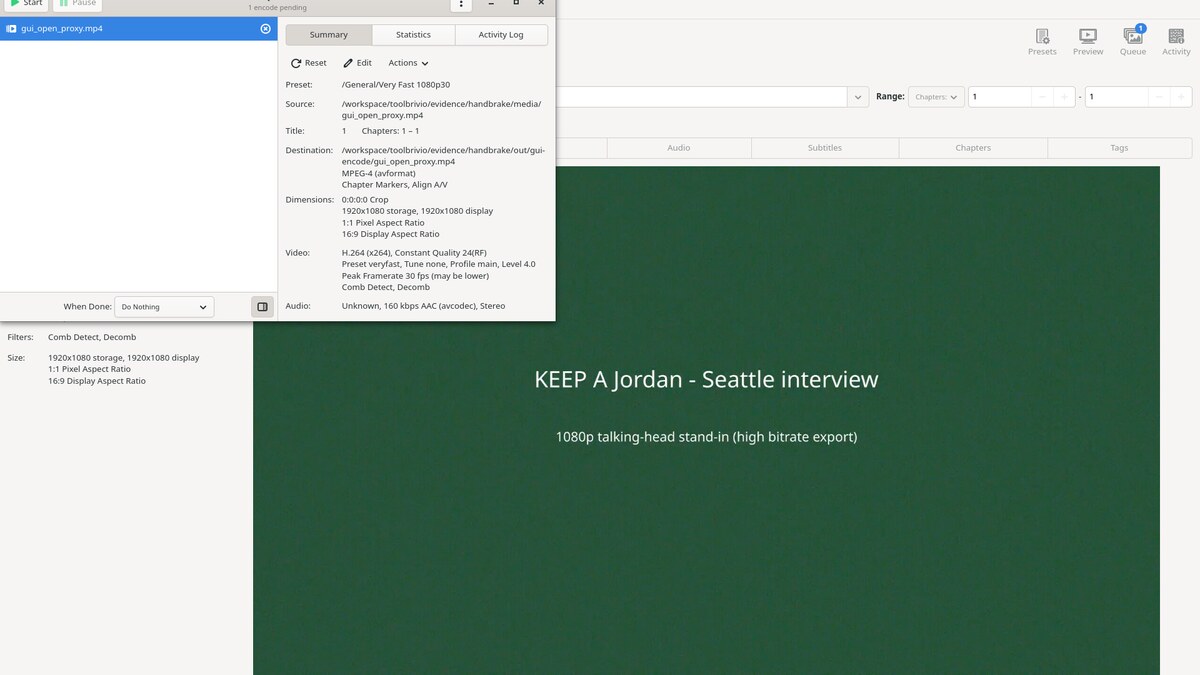
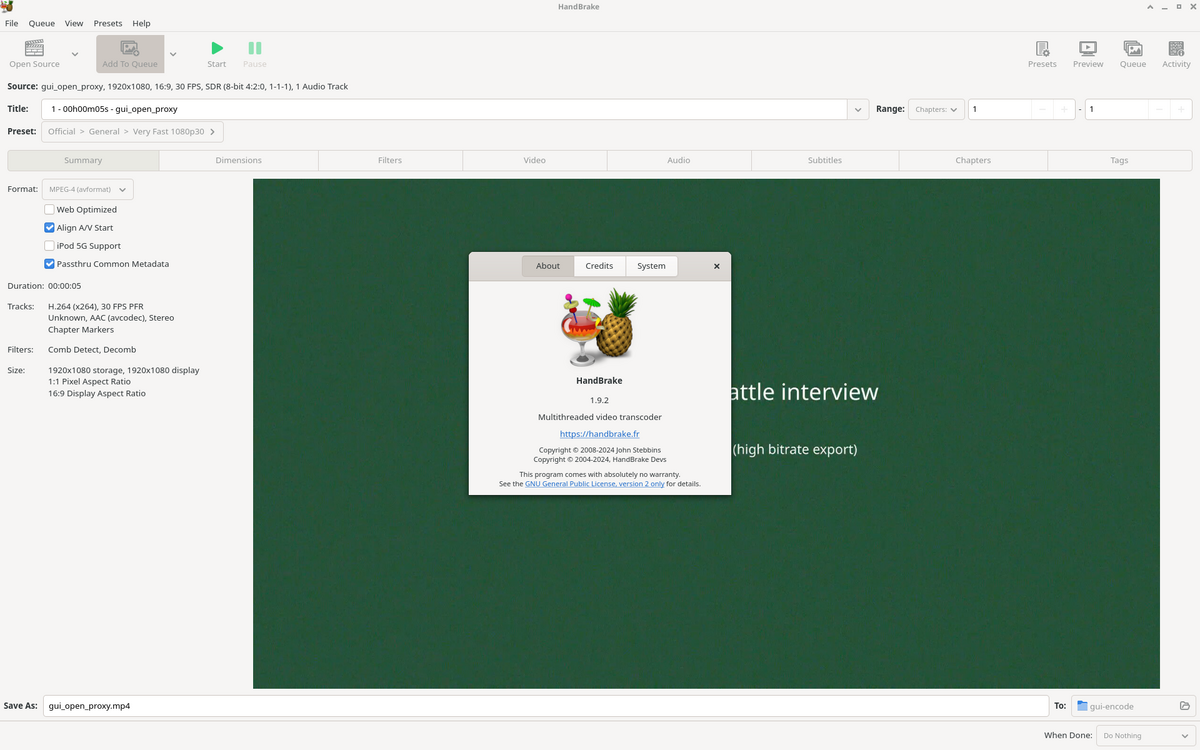
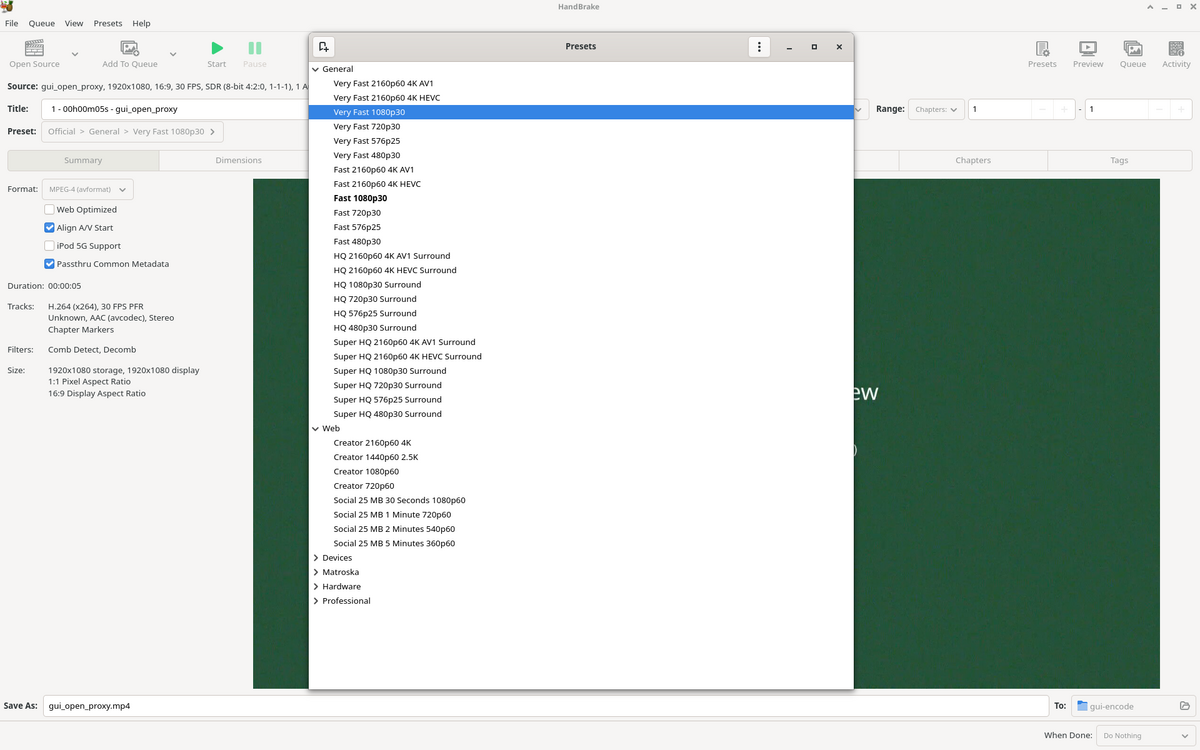
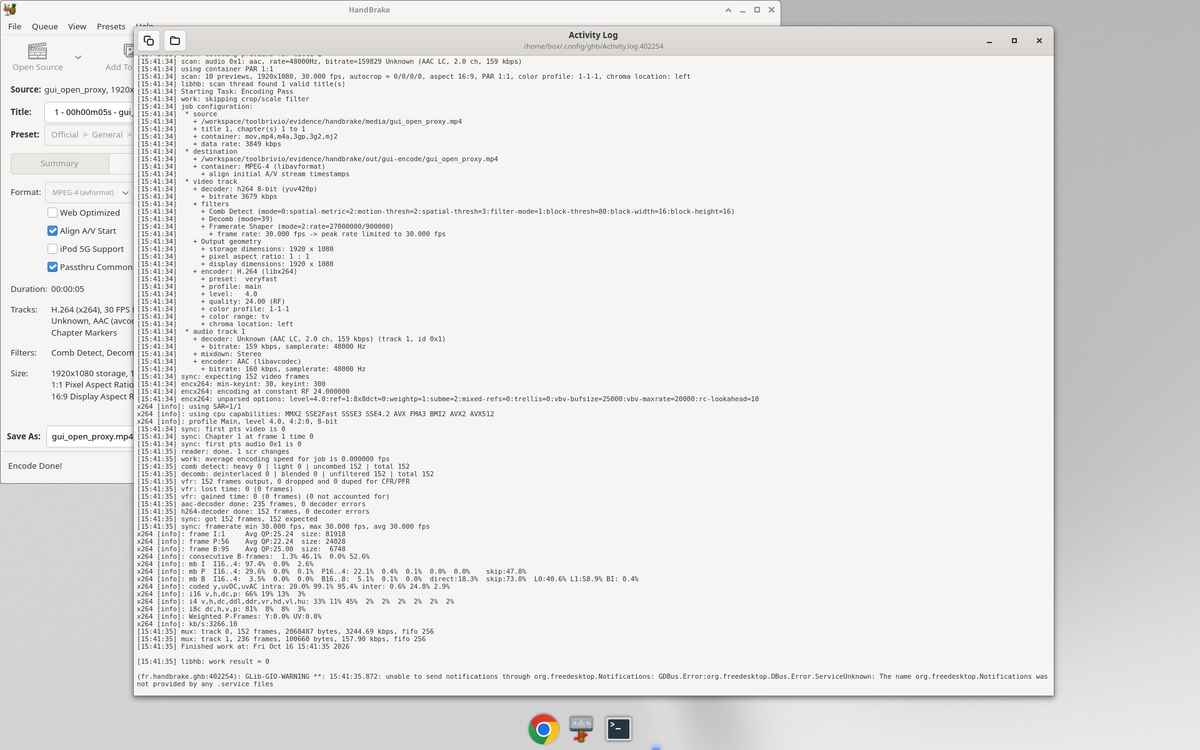
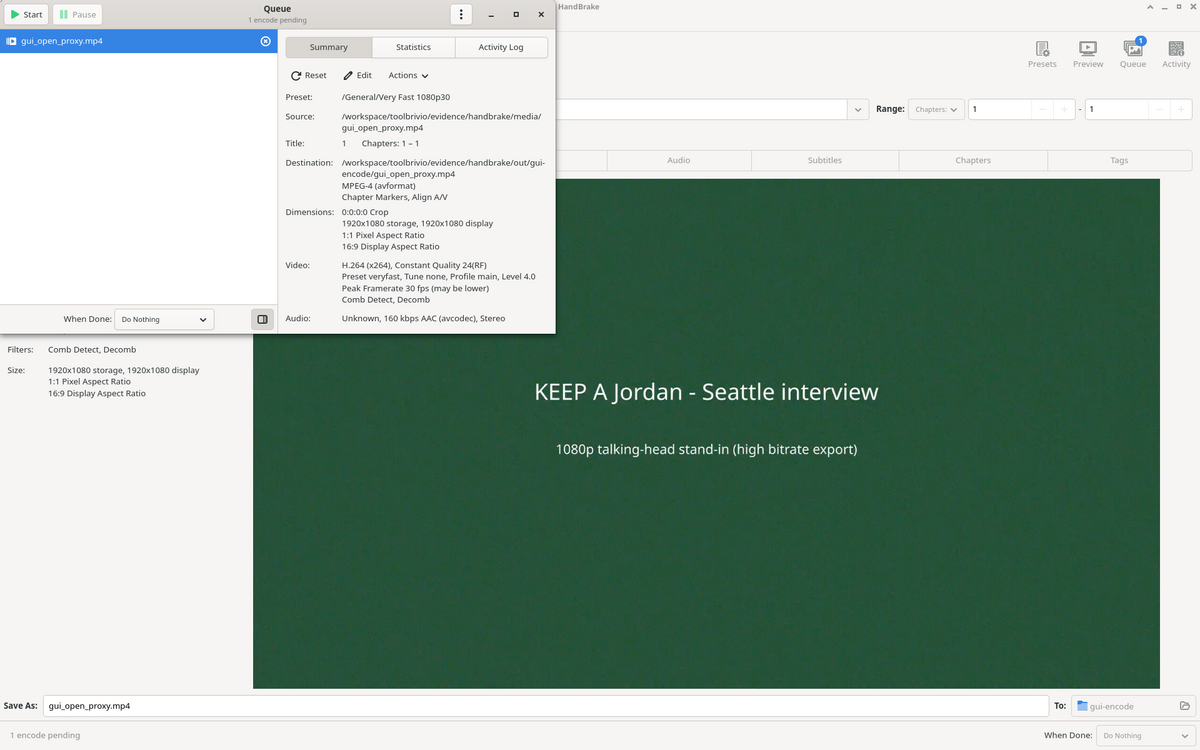
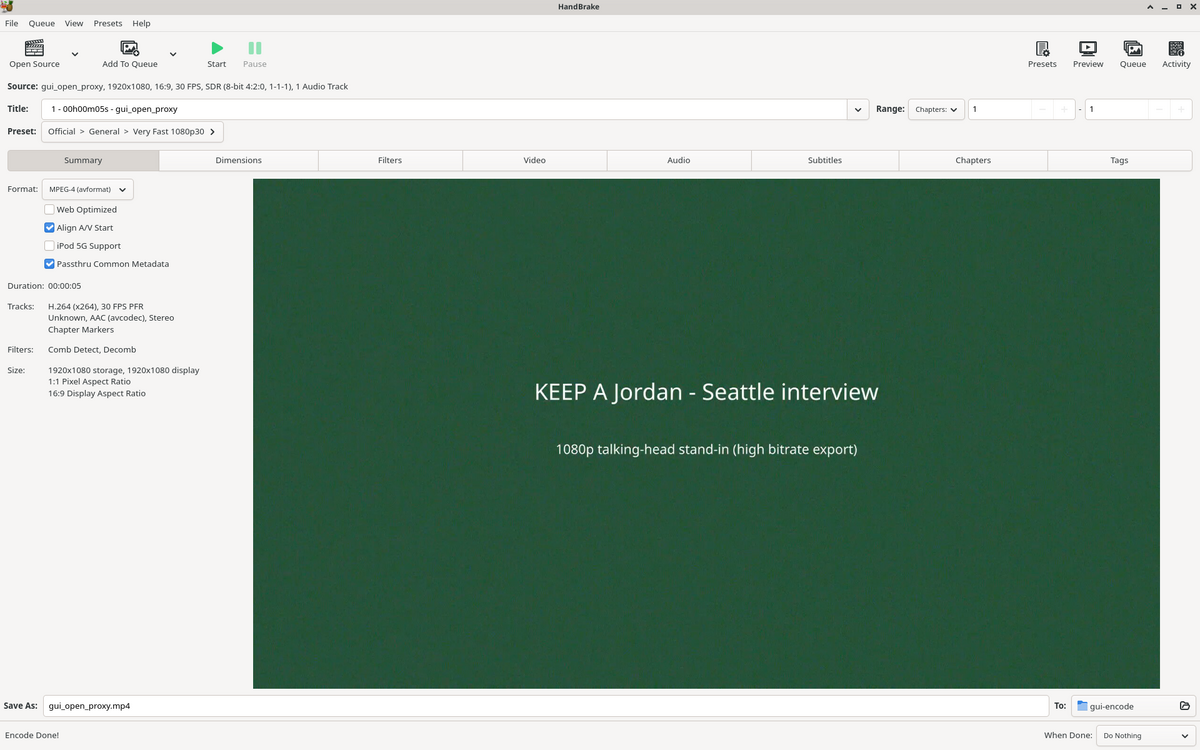
Review basis: HandBrake 1.9.2 on Debian 13. CLI encodes are the measured evidence (sizes, wall times, ffprobe). We also ran the GTK GUI on a 5-second proxy of the same Seattle stand-in: About shows 1.9.2; Presets lists Very Fast 1080p30 and Social 25 MB 30 Seconds 1080p60; Queue / Encode Done / Activity Log show the Very Fast job at x264 RF 24. Hardware encoders were unavailable on this box (no NVENC library, no QSV). The fixture is a synthetic US-English Seattle interview stand-in with noise so the source stays fat—not a client shoot. We did not test Windows or macOS installers, SVT-AV1, HEVC, hour-long files, subtitle burn-in, or privacy beyond local encodes.
Verdict
If your job is “cut file → uploadable MP4 with a preset you can quote,” HandBrake’s named presets and RF dial do that path. On our 30.000 s, 1920×1080 source (1,102,887,801 bytes / 1051.80 MiB), Very Fast 1080p30 wrote 12,144,422 bytes (11.58 MiB) in 13.672 s at x264 RF 24 / veryfast. Social 25 MB 30 Seconds 1080p60 finished at 22,974,094 bytes (21.91 MiB)—under the 25 MB label—in 49.182 s. A hand-built x264 RF 22 / medium / High@L4.0 run took 51.236 s and landed at 91,704,820 bytes (87.46 MiB): still much smaller than the source, but larger than Very Fast on this noisy clip. HandBrake is the wrong tool when you only need a lossless trim—that is LosslessCut territory.
- Pro: Official preset names from
HandBrakeCLI --preset-listare reproducible; our Very Fast run logged RF 24.00 and x264 veryfast exactly. - Pro: Social size-cap preset hit 21.91 MiB < 25 MB on a full 30 s clip without us hand-tuning bitrate.
- Pro: All three outputs kept 1920×1080 and video duration 30.000 s (container ≈30.016 s—AAC priming scale).
- Con: Every path re-encodes. Wall time was 13.7–51.2 s for 30 s of video on this CPU—orders slower than stream-copy cut.
- Con: RF 22 / medium produced a larger file than Very Fast RF 24 / veryfast on this grainy stand-in. RF number alone is not a size ranking.
- Limit: Software x264 only here; NVENC/QSV/AV1 paths unverified. Synthetic noise ≠ facial detail quality claims.
What we encoded
Critical path: one fat post-cut 1080p interview MP4 → smaller delivery MP4 with a named or scriptable setting. Baseline alternatives are guessing FFmpeg flags or uploading the cut file raw. This is not a mux/language-tag job—see our MKVToolNix delivery mux review—and not a keyframe cut—see LosslessCut interview cut.
- Start from a cut (or fat) H.264/AAC file. Ours: 30.000 s, 1920×1080@30, near-lossless CRF 12 + noise, 1051.80 MiB.
- Pick a General or Web preset from HandBrake’s list, or set encoder + RF explicitly.
- Encode to MP4. Log the preset name or full CLI.
- Verify with ffprobe: duration, resolution, codecs, byte size vs target.

Very Fast 1080p30 (primary preset)
HandBrakeCLI -i seattle_interview_delivery_src.mp4 \
  -o seattle_vf1080p30.mp4 --preset "Very Fast 1080p30"
Activity log: encoder H.264 (libx264), preset veryfast, quality RF 24.00, profile Main @ L4.0, AAC ~160 kbps. Wall clock 13.672 s. Output 12,144,422 bytes (11.58 MiB), ~3.07 Mbps video, 1920×1080@30, duration 30.000 s video / 30.016 s container. Relative to source bytes: about 1.1% of the input size on this fixture.
Custom x264 RF 22
HandBrakeCLI -i seattle_interview_delivery_src.mp4 -o seattle_rf22_x264.mp4 \
  --encoder x264 --quality 22 --encoder-preset medium \
  --encoder-profile high --encoder-level 4.0 \
  -r 30 --pfr -w 1920 -l 1080 --crop 0:0:0:0 \
  -a 1 -E av_aac -B 160 -f av_mp4 --optimize
Wall clock 51.236 s. Output 91,704,820 bytes (87.46 MiB), High@L4.0, ~24.3 Mbps video. Useful as a reproducible recipe when a client asks for RF and profile in writing. On this noisy stand-in it did not beat Very Fast on size—document that instead of assuming “lower RF = always better deliverable.”
Social 25 MB / 30 seconds
HandBrakeCLI -i seattle_interview_delivery_src.mp4 \
  -o seattle_social25mb30s.mp4 \
  --preset "Social 25 MB 30 Seconds 1080p60"
Two-task job in the log (size-oriented encode). Wall clock 49.182 s. Output 22,974,094 bytes (21.91 MiB)—under 25 MB. Video stayed 30 fps (source was 30; the preset name includes 1080p60). Final stream: H.264 High @ L4.2, ~6.0 Mbps. Good when the brief is “fit a short clip under a hard byte cap,” not when you need archive quality.
Results table
| Check | Source | Very Fast 1080p30 | x264 RF 22 | Social 25 MB / 30 s |
|---|---|---|---|---|
| Bytes | 1,102,887,801 | 12,144,422 | 91,704,820 | 22,974,094 |
| MiB | 1051.80 | 11.58 | 87.46 | 21.91 |
| Wall time | — | 13.672 s | 51.236 s | 49.182 s |
| Video duration | 30.000 s | 30.000 s | 30.000 s | 30.000 s |
| Resolution | 1920×1080 | 1920×1080 | 1920×1080 | 1920×1080 |
| Encoder / control | libx264 CRF 12 (fixture) | x264 veryfast RF 24 | x264 medium RF 22 | x264 ~6 Mbps (2-pass style) |
| Profile (ffprobe) | Constrained Baseline | Main | High | High |
What failed or needed a clear caveat
- HandBrake does not replace lossless cut. Re-encode cost is real; use LosslessCut (or FFmpeg stream-copy) first if you only need to drop retakes.
- RF is not a size guarantee. RF 22 / medium > Very Fast RF 24 on this grainy source. Measure bytes after encode.
- Preset name ≠ output frame rate. Social “…1080p60” kept 30 fps from our 30 fps source.
- Hardware encode untested. This box had no usable NVENC/QSV; timings are software x264 only.
- Fixture bias. Color panels + noise overstate how “easy” text survives; they understate facial detail risk. We make no VMAF or ranking claims.
Who it suits
HandBrake fits a creator who already has a keep-cut (or fat export) and needs a named, repeatable delivery encode for upload or client handoff. According to the HandBrake project site, the app is free and open source; we used the Debian 1.9.2 packages, not an app-store build. If you still need language defaults on a multi-track MKV, mux after encode with MKVToolNix. If you only need to drop dead air without touching the bitstream, stay in LosslessCut.
Limits of this test
- 30-second synthetic fixture; not proof of hour-long throughput or disk speed.
- Linux CLI primary for size/time numbers; GUI screenshots (About 1.9.2, Presets, Queue, Encode Done, Activity Log) captured on a 5 s proxy of the same fixture—not a second full 30 s GUI timing run.
- Windows, macOS, SVT-AV1, HEVC, and hardware encoders unverified.
- Subtitles, chapter burn-in, and privacy/network behavior unverified.