
SRT is text and timing
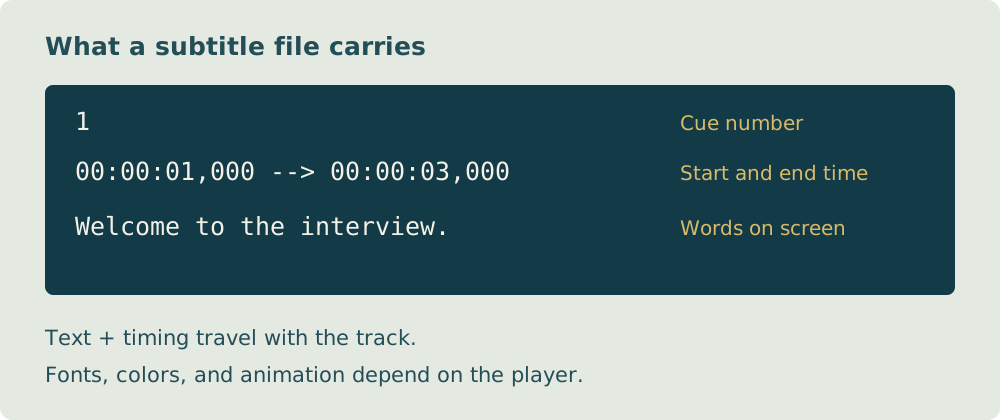
An SRT file holds numbered cues, timestamps, and caption text. It does not contain the video or guarantee a particular font or visual style.
By ToolBrivio editorial · Research approach · Link disclosure
We currently earn no commission from product links on this page.
Someone sends you an SRT file. You open it and see numbered blocks, timestamps, and short lines of dialogue instead of a video. Nothing is missing: that text is the subtitle track.
Understanding the structure makes common problems easier to spot. A missing blank line, a mistyped timestamp, or a file saved with the wrong extension can matter more than how neat the text looks.
We start with a two-block example, explain how to read it, and work through a few errors before you import a file. You do not need to memorize the format; you need to recognize a valid block and check it against the recording.
A simple example
1
00:00:01,000 --> 00:00:03,500
Welcome to the video.

2
00:00:04,000 --> 00:00:06,500
Let's make the captions clearer.
Build the file
- Start with a checked transcript of the actual recording.
- Split the speech into short, readable phrases.
- Assign start and end times that match the audio.
- Save as plain text with UTF-8 encoding and the .srt extension.
- Import it into your intended player or platform and watch the whole video.
Keep the blocks in time order, ensure each end is later than its start, and avoid unintended overlaps. SRT styling support varies, so do not assume a font or color will carry across players.
If your platform accepts a different format, use its supported export option. Always check the rendered result.
Read the example as a viewer would
The first block begins one second into the video and ends at three and a half seconds. The second starts at four seconds. Between them is a brief gap with no text from either block. The timestamps refer to the video timeline, not the time you spent editing the file.
Three errors you can inspect without special software
| What you find | What to check |
|---|---|
| An end time earlier than its start | Replay that phrase and correct both boundaries. |
| Two blocks running together | Check for the blank line separating them. |
| A filename ending in .srt.txt | Show file extensions and confirm it was saved as plain text with the intended extension. |
Do not change timestamps simply to make them look evenly spaced. Dialogue has its own pace, and the file must agree with the recording. After a correction, reopen the track in the destination player and watch the affected passage.