
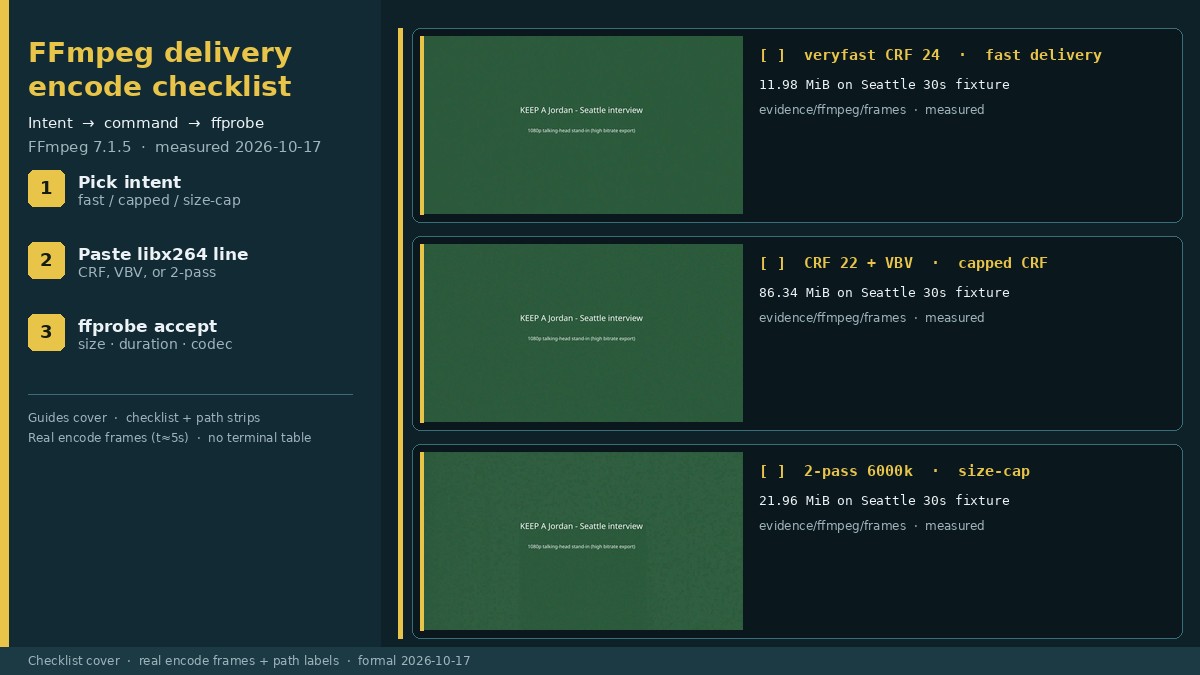
Your cut interview is still too big for the portal or client, and you need a pasteable FFmpeg line — not another preset click. Write the intent first (fast delivery, peak-rate / capped CRF, or hard byte class), run one of the libx264 commands below, then accept or reject with ffprobe. This Guide is that checklist.
This is the delivery-encode checklist. The same-day FFmpeg delivery-encode review explains what those four lines did on our Seattle fixture. Prefer named GUI presets? Use the HandBrake delivery-encode checklist. Still have dead air in the keep merge? Audit the cut first: LosslessCut export duration audit.
Test note: October 17, 2026, Asia/Shanghai, Debian GNU/Linux 13 (trixie). Tools: FFmpeg / ffprobe 7.1.5-0+deb13u1, encoder tag Lavc61.19.101 libx264. Software x264 only on this box (no NVENC/QSV). Fixture: seattle_interview_delivery_src.mp4 — 30.000 s, 1920×1080@30, 1,102,887,801 bytes (1051.80 MiB). Shared delivery flags on every run: -c:a aac -b:a 160k -movflags +faststart -pix_fmt yuv420p -r 30.
Accept criteria before you upload
Persona: a creator who already cut the interview and needs a binary go / no-go on the delivery MP4. Minimum checks:
| Check | PASS | FAIL | HOLD |
|---|---|---|---|
| Byte size vs target | File ≤ named portal/client cap (e.g. 2-pass path < 25 MB on our 30 s clip) | Bytes over the hard cap | No written size or peak-rate target |
| Duration | Video duration matches source class (ours: 30.000 s video; container ≈30.016 s OK) | Multi-second shorten/lengthen you did not intend | Unknown expected duration |
| Resolution | Matches intended delivery class (ours: stayed 1920×1080) | Unexpected scale/crop | — |
| Codecs / container | H.264 + AAC in MP4 (what we produced) | Wrong container for the portal | Portal codec rules not known |
| Command documented | Full ffmpeg line recorded on the checklist | — | You cannot reproduce the encode |
1. Write down the intent
Record the portal/client limit in MiB or MB, or a peak-rate brief, before you encode. Our measured map on this fixture:
- Fast delivery — small + quick, no hard MB label → veryfast CRF 24
- Capped CRF / peak — quality number in writing and a Level-style peak → CRF +
-maxrate+-bufsize - Hard byte class — e.g. under ~25 MB for 30 s → 2-pass ABR
Source we started from: 1051.80 MiB, 30.000 s, 1920×1080@30. Public rate-control guides split the same way (CRF vs capped CRF/VBV vs 2-pass); we used that structure to pick commands — not their sample bitrates.
2. Choose the control: veryfast CRF vs CRF+VBV vs 2-pass
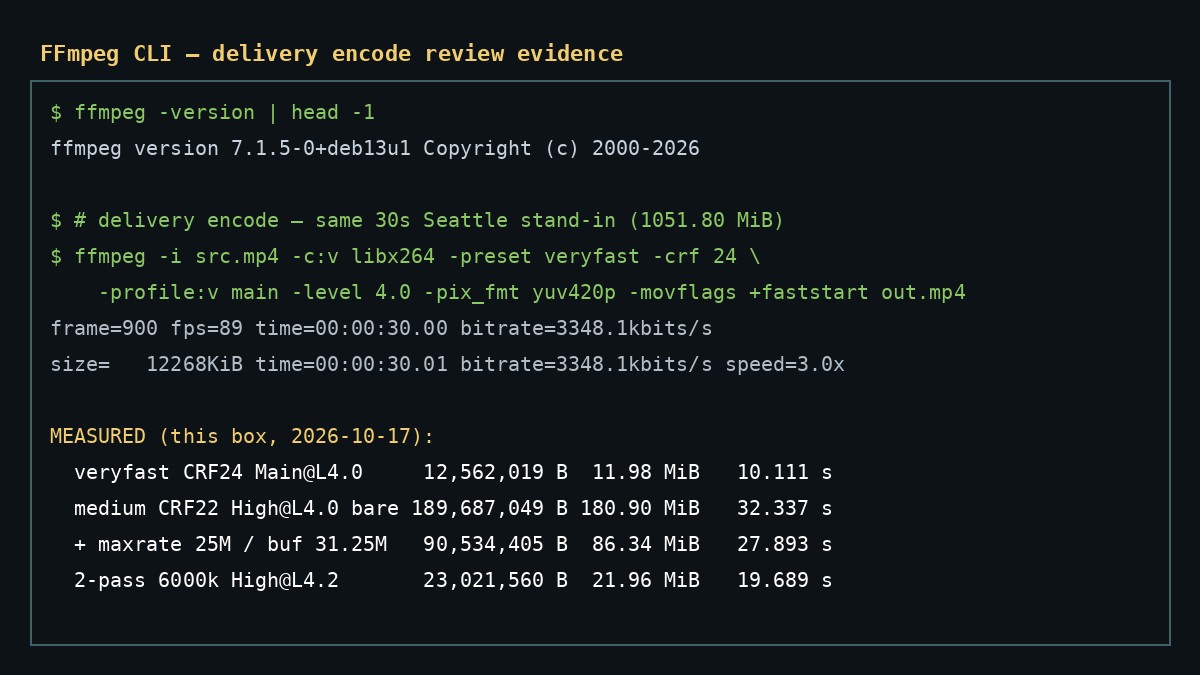
- veryfast + CRF 24 + Main@L4.0 — fast delivery. On our fixture: 11.98 MiB (12,562,019 B) in 10.111 s.
- medium + CRF 22 + High@L4.0 bare — teaching uncapped only. 180.90 MiB in 32.337 s. Stills look fine; not a platform size promise.
- same + VBV 25M / 31.25M — capped CRF. 86.34 MiB (90,534,405 B) in 27.893 s. Need both
-maxrateand-bufsize. - 2-pass 6000k High@L4.2 — size-cap intent. 21.96 MiB (23,021,560 B) in 19.689 s — under ~25 MB on this 30 s clip.
Teaching point: bare CRF ≠ size or peak-rate guarantee. Preset (veryfast / medium) is orthogonal to CRF — speed vs efficiency, not a substitute for maxrate or a bitrate target.
3. Encode with pasteable commands
Swap in your cut file and output name. Paths match our evidence tree.
# A) Fast delivery
ffmpeg -y -i seattle_interview_delivery_src.mp4 \
  -c:v libx264 -preset veryfast -crf 24 -profile:v main -level 4.0 \
  -pix_fmt yuv420p -r 30 -c:a aac -b:a 160k -movflags +faststart \
  ff_veryfast_crf24.mp4

# B) Teaching: uncapped CRF (do not treat as a size promise)
ffmpeg -y -i seattle_interview_delivery_src.mp4 \
  -c:v libx264 -preset medium -crf 22 -profile:v high -level 4.0 \
  -pix_fmt yuv420p -r 30 -c:a aac -b:a 160k -movflags +faststart \
  ff_medium_crf22.mp4

# C) Capped CRF / VBV (Level 4.0-style peak)
ffmpeg -y -i seattle_interview_delivery_src.mp4 \
  -c:v libx264 -preset medium -crf 22 -profile:v high -level 4.0 \
  -maxrate 25000k -bufsize 31250k \
  -pix_fmt yuv420p -r 30 -c:a aac -b:a 160k -movflags +faststart \
  ff_medium_crf22_vbv25.mp4

# D) Hard ~25 MB / 30 s class on our fixture
ffmpeg -y -i seattle_interview_delivery_src.mp4 \
  -c:v libx264 -preset medium -b:v 6000k -pass 1 -profile:v high -level 4.2 \
  -pix_fmt yuv420p -r 30 -an -f null /dev/null
ffmpeg -y -i seattle_interview_delivery_src.mp4 \
  -c:v libx264 -preset medium -b:v 6000k -pass 2 -profile:v high -level 4.2 \
  -pix_fmt yuv420p -r 30 -c:a aac -b:a 160k -movflags +faststart \
  ff_social_2pass_6000k.mp4
Write the exact command on the checklist before you move on. Do not upload on hope.
4. Verify with ffprobe before upload
# Size + container duration
ffprobe -hide_banner -show_entries format=size,duration \
  -of default=noprint_wrappers=1 delivery.mp4

# Resolution + video duration + fps
ffprobe -hide_banner -select_streams v:0 \
  -show_entries stream=width,height,duration,r_frame_rate,codec_name \
  -of default=noprint_wrappers=1 delivery.mp4

# Audio codec (expect aac on our MP4s)
ffprobe -hide_banner -select_streams a:0 \
  -show_entries stream=codec_name,duration \
  -of default=noprint_wrappers=1 delivery.mp4
On our 2-pass output we measured size=23021560 (21.96 MiB), video width=1920 height=1080 duration=30.000000, codec_name=h264 + AAC. Same duration/resolution class on the other three paths.
Optional frame spot-check (readable titles on our fixture; not a perceptual metric):
ffmpeg -ss 5 -i delivery.mp4 -frames:v 1 check_t5s.jpg5. Worked example: 2-pass 6000k (measured)
Goal: stay under 25 MB for a 30-second 1080p clip. Control: 2-pass -b:v 6000k High@L4.2.
| Metric | Measured |
|---|---|
| Output bytes | 23,021,560 (21.96 MiB) — under 25 MB on this clip |
| Wall time | 19.689 s (pass 1: 8.844 s; pass 2: 10.846 s) |
| Video duration | 30.000 s (container ≈30.016 s) |
| Resolution / fps | 1920×1080 @ 30 fps |
| Video bitrate (approx) | ~6.0 Mbps |
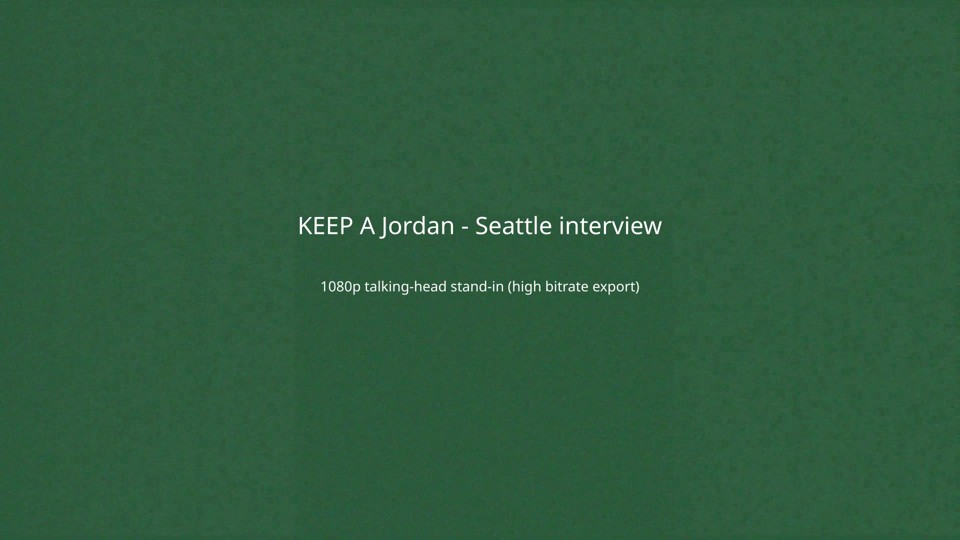
Verdict on this fixture: PASS for a 25 MB hard cap (21.96 MiB), duration/resolution match, H.264+AAC MP4. Not a guarantee that every different source at 6000k lands under 25 MB — re-probe yours.
6. Compare the four paths (pick by goal)
| Path | Bytes | MiB | Wall | Control | Pick when… |
|---|---|---|---|---|---|
| veryfast CRF 24 | 12,562,019 | 11.98 | 10.111 s | Main@L4.0 | Fast + small, no hard MB label |
| medium CRF 22 bare | 189,687,049 | 180.90 | 32.337 s | High@L4.0 uncapped | Teaching only — shows CRF drift |
| CRF 22 + VBV 25M | 90,534,405 | 86.34 | 27.893 s | maxrate 25M / buf 31.25M | CRF-in-writing plus a peak brief |
| 2-pass 6000k | 23,021,560 | 21.96 (<25 MB) | 19.689 s | High@L4.2 ABR | Hard byte class on a short clip |
All four: video duration 30.000 s, 1920×1080. Source was 1051.80 MiB.
Download the checklist
Download the FFmpeg delivery-encode checklist (Markdown). Fill intent and the full command before you encode, paste ffprobe size/duration/resolution on rejects, and keep the cut master untouched when you upload the encode copy.
FAQ
Which FFmpeg path should I pick for a hard ~25 MB / 30 s class?
On our October 17, 2026 fixture (FFmpeg 7.1.5 libx264), a 2-pass -b:v 6000k High@L4.2 encode wrote 23,021,560 bytes (21.96 MiB) — under 25 MB on that 30 s clip — in 19.689 s. veryfast CRF 24 was smaller and faster (11.98 MiB / 10.111 s) but is a quality/speed path, not a named byte cap.
Why did bare CRF 22 write 180.90 MiB while the same CRF with VBV wrote 86.34 MiB?
CRF aims at a quality level and lets bitrate float with content. On our noisy Seattle stand-in, medium CRF 22 without a peak cap wrote 189,687,049 bytes (180.90 MiB). Adding -maxrate 25000k and -bufsize 31250k (Level 4.0-style VBV) dropped the same CRF/preset to 90,534,405 bytes (86.34 MiB). You need both maxrate and bufsize together.
Do I need -movflags +faststart and -pix_fmt yuv420p on every delivery MP4?
We used both on every measured output: yuv420p for common player compatibility, +faststart so the moov atom sits up front for progressive download. Skip them only when a deliberate workflow says otherwise — and document that choice on the checklist.
What do I verify with ffprobe before upload?
Check format size and duration, video stream width/height/duration, and codecs (H.264 + AAC in MP4 on our runs). All four of our outputs kept 1920×1080 and video duration 30.000 s (container ≈30.016 s). FAIL if bytes exceed your target or duration/resolution diverge from the source you intended to deliver.
Honest limits
- Synthetic Seattle interview stand-in (color + noise panels) — not a real client face shoot; no VMAF / perceptual ranking.
- Software x264 only on this box — NVENC / QSV / SVT-AV1 / HEVC not tested.
- Windows and macOS FFmpeg builds not tested.
- Hour-long / multi-GB camera files not tested (30 s fixture only).
- HandBrake GUI presets out of scope here — use the HandBrake delivery-encode checklist for named presets.
- FFmpeg re-encodes — wrong tool for “just cut dead air” (use LosslessCut, then this checklist).
When size fails the cap, change intent (add VBV, or switch to 2-pass) and re-probe — do not upload on hope. When it passes, upload the encode copy and keep the cut master bit-identical for disputes.
Test basis: CLI sizes, wall times, and ffprobe dumps on October 17, 2026 under evidence/ffmpeg/. Related: HandBrake delivery-encode checklist · LosslessCut export duration audit.