
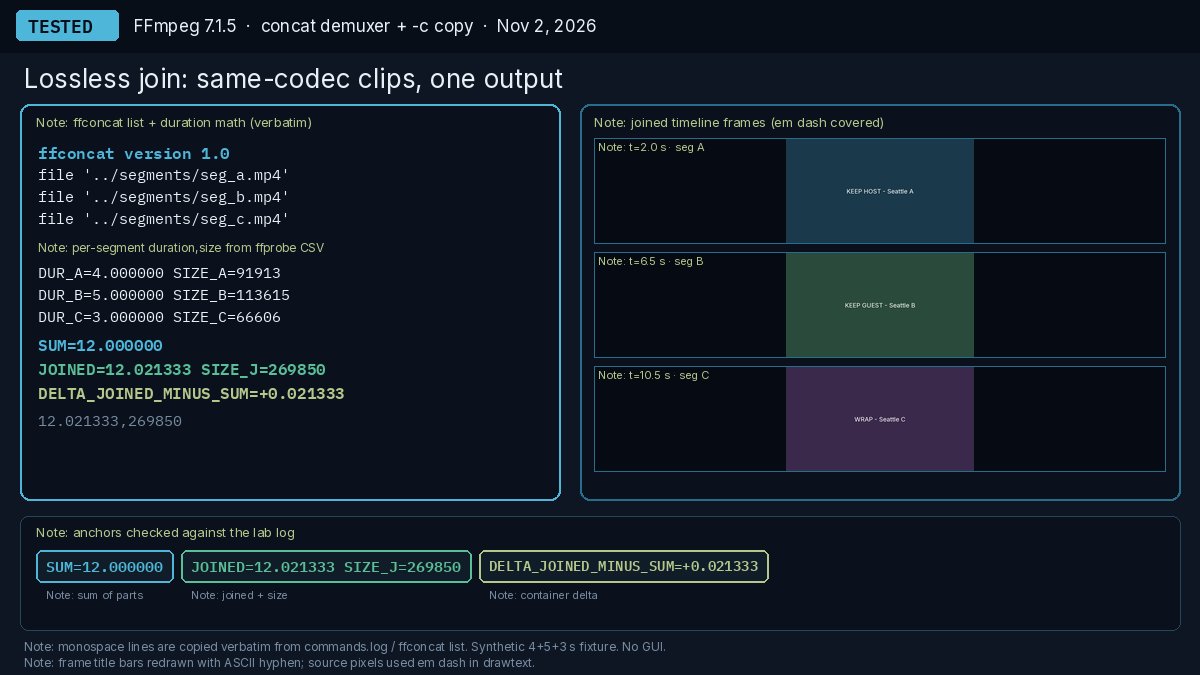
SUM=12.000000, JOINED=12.021333 SIZE_J=269850, DELTA_JOINED_MINUS_SUM=+0.021333). Right: joined frames at t=2.0 / 6.5 / 10.5 s; title bars redrawn with ASCII hyphens so cover pixels carry no em dash. Not a GUI.By ToolBrivio Editorial · Hands-on test of FFmpeg/ffprobe 7.1.5-0+deb13u1 on Debian 13, November 2, 2026, plus the official FFmpeg Formats concat demuxer page and Stack Overflow threads on demuxer vs filter where marked. This is the same-codec join step before loudnorm or burn-in - not a filter-concat re-encode review, not LosslessCut GUI testing. We earn no affiliate commission from links on this page. Research approach · Link disclosure.
You already have two or three interview or B-roll segments that share one export recipe. You want one file for the next loudness or caption pass. Re-encoding the whole stack just to glue the ends wastes time and can soften picture. FFmpeg’s concat demuxer with -c copy is the path people reach for when codecs match. We wanted numbers on duration sum, list syntax, and what happens when they do not match.
Review basis: FFmpeg/ffprobe 7.1.5-0+deb13u1 on Debian 13. Fixture: three synthetic US-English Seattle title cards, all 1280×720@30, yuv420p, H.264 + AAC mono 48 kHz. Durations 4.000000, 5.000000, 3.000000 s. Plus one deliberate 1920×1080 mismatch clip and a list line that points at a missing file. We did not run the concat filter as the main path.
Verdict
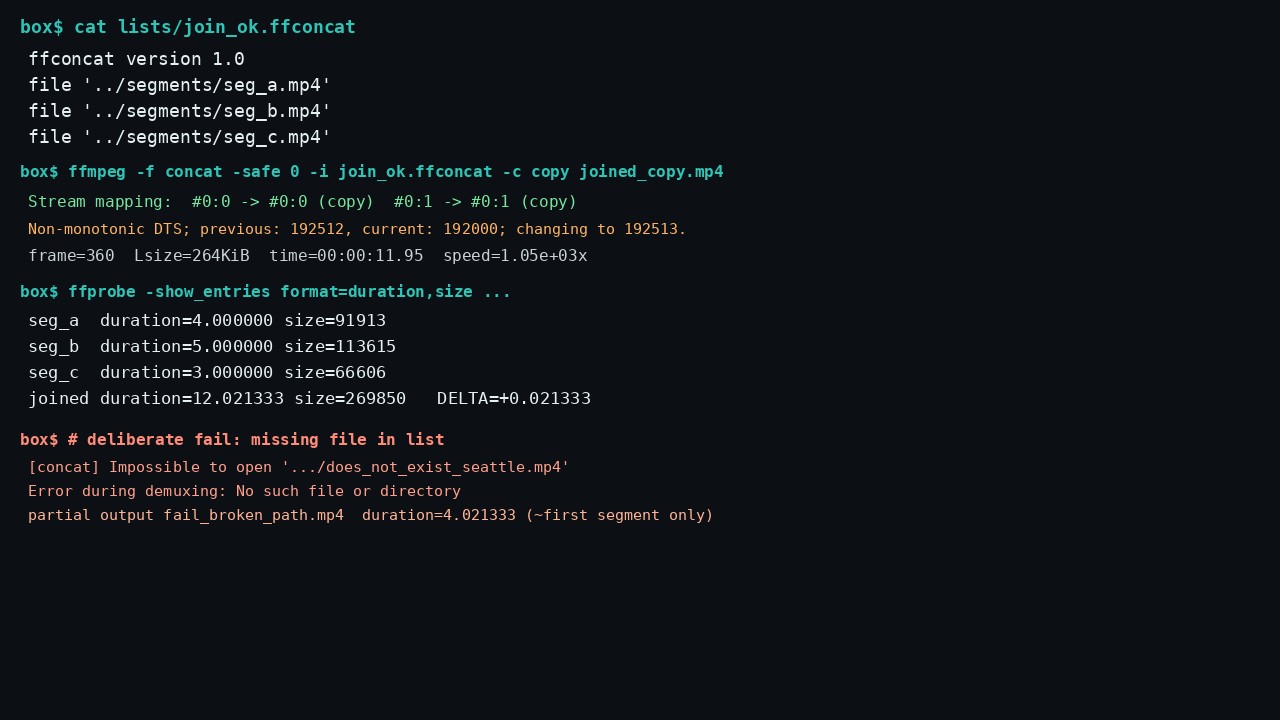
If every segment shares codec, resolution, frame rate, pixel format, and audio layout, -f concat -safe 0 -i list.txt -c copy is the join we trust on this box. Our three-clip output kept H.264 + AAC, finished in a fraction of a second wall time at ~1000× speed on a 12 s file, and landed within 0.021333 s of the arithmetic sum. Prefer the concat filter only when you must re-encode mismatched inputs. Prefer an NLE when the join is already inside a graded timeline. Prefer a cut-first GUI when you are trimming first; see our LosslessCut interview cut review for that step, not this one.
- Pro: Stream copy succeeded with explicit
#0:0 -> #0:0 (copy)/ audio copy mapping; output 269,850 bytes. - Pro: Duration check is falsifiable: sum 12.000000 s, joined 12.021333 s, delta +0.021333 s (same magnitude as the concat input start offset
-0.021333). - Pro: Quoted paths with spaces worked (9.021333 s join of two spaced-name clips).
- Con: Mixed 720p+1080p with
-c copyreturned exit 0 and a 6.021333 s file whose ffprobe header still said 1280×720 - a silent trap, not a loud failure. - Con: A missing file in the list demux-errored mid-run (
Impossible to open …) yet still left a partial MP4 (~first segment, 4.021333 s) with exit 0. - Limit: Synthetic title cards; Non-monotonic DTS warnings on audio at joins; GPU / cross-camera / NLE export Not tested.
What we joined
Critical path: same-codec segments → text list → concat demuxer → -c copy → ffprobe. Loudness belongs in the FFmpeg loudnorm interview review. Hardsub belongs in the burn-in subtitles review. Delivery CRF ladders belong in the delivery encode review. This article stops at lossless join.
- Build or collect clips that already match. Ours: three lavfi title cards, identical encode flags.
- Write a list (
ffconcat version 1.0or plainfile '…'lines). - Run
ffmpeg -f concat -safe 0 -i list -c copy out.mp4. - ffprobe each part and the output. Compare duration to the sum.
| File | Duration (s) | Bytes | Video | Audio |
|---|---|---|---|---|
| seg_a | 4.000000 | 91,913 | h264 1280×720 yuv420p 30/1 | aac 48 kHz mono |
| seg_b | 5.000000 | 113,615 | same | same |
| seg_c | 3.000000 | 66,606 | same | same |
| Sum | 12.000000 | 272,134 (parts) | - | |
| joined_copy | 12.021333 | 269,850 | h264 1280×720 yuv420p 30/1 | aac 48 kHz mono |
The list and command that worked
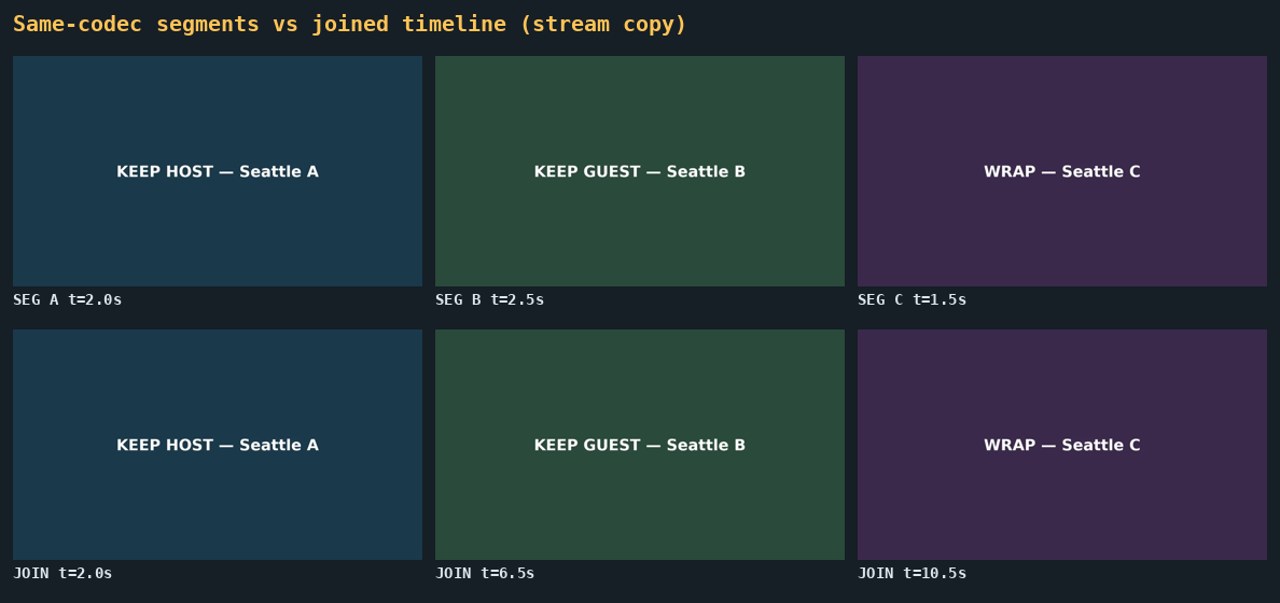
Official Formats docs describe the concat demuxer script: optional ffconcat version 1.0 on line one, then file directives. Special characters and spaces need backslash or single quotes. We used:
ffconcat version 1.0
file '../segments/seg_a.mp4'
file '../segments/seg_b.mp4'
file '../segments/seg_c.mp4'
Then, from the lists directory:
ffmpeg -y -f concat -safe 0 -i join_ok.ffconcat -c copy ../outputs/joined_copy.mp4-safe 0 accepts paths that are not in the default “safe” portable set (needed for many absolute or dotted relative paths). Stream mapping logged as copy for video and audio. FFmpeg auto-inserted h264_mp4toannexb while reading the MP4 segments - expected on this path, still a bitstream copy out.
A plain file '…' list without the ffconcat header also worked when paths were resolved relative to the list file. Paths relative to the wrong working directory failed immediately with Impossible to open - resolve paths against the list location, not against wherever you happened to cd.



Duration math and DTS noise
Method: ffprobe -show_entries format=duration on each file, float seconds, sum A+B+C, subtract from joined duration.
- Parts: 4.000000 + 5.000000 + 3.000000 = 12.000000
- Joined: 12.021333
- Delta: +0.021333 s
That delta matches the concat demuxer’s reported input start of -0.021333 (AAC priming / encoder delay in the MP4s). It is a small container timing offset, not a missing second of picture. We also saw Non-monotonic DTS warnings on the audio copy at each segment boundary; FFmpeg adjusted the stamps and still wrote a playable file. Do not treat those warnings as proof the join failed - check duration and a frame past each cut instead.
What failed on purpose
- Mixed resolution (720p then 1080p) with
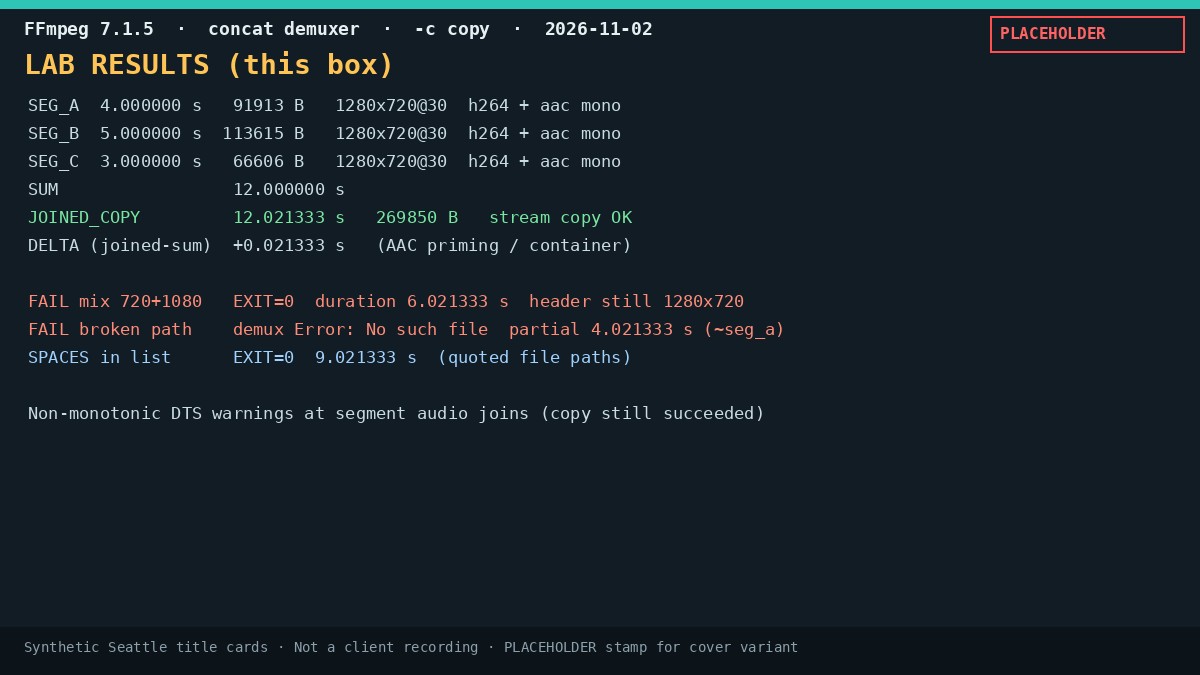
-c copy: exit 0. Output duration 6.021333 s (both clips present). ffprobe still reported video 1280×720 and 180 frames. The second segment’s 1080 bitstream sat under the first segment’s stream header. That is the dangerous case peers warn about: no hard error, odd playback later. Fix: normalize geometry (re-encode the odd clip) before demuxer copy, or use the concat filter when you accept a full re-encode. - Broken list path:
[concat] Impossible to open '…/does_not_exist_seattle.mp4'thenError during demuxing: No such file or directory. Process still exited 0 with a partial file 4.021333 s / 92,089 B (essentially segment A). Always open the output and check duration against the planned sum. - Wrong relative paths in the list: list living in
lists/but entries written as if cwd weresegments/failed at open time. Quote spaces; keep paths correct relative to the list file.
-c copy output that still exited 0. Header stayed 1280×720.Demuxer vs filter (short)
Community guidance (Stack Overflow threads we opened November 2, 2026) and the Formats manual agree on the split: use the demuxer when parameters already match and you want copy; use the filter when you must resize, change rate, or otherwise re-encode. The concat protocol (concat:file1|file2) is for a narrow set of formats and is the wrong default for MP4 interview clips. We did not re-benchmark filter quality here.
Who it suits
FFmpeg concat demuxer fits a creator or editor who already exported same-settings segments (or cut them with matching codecs) and needs a single file for the next scripted step. If you are still trimming in a GUI, finish cuts first (LosslessCut or an NLE), then join. If cameras disagree on profile or resolution, normalize before you insist on -c copy.
Limits of this test
- 12-second synthetic title-card fixture; not a real multi-cam interview.
- Linux CLI only.
- Not tested: GPU / NVENC around concat.
- Not tested: native cross-camera files without a normalize re-encode.
- Not tested: NLE export flag quirks; full LosslessCut GUI join.
- No hour-long throughput claims; DTS warnings noted but not stress-audited on longform.
Sources and evidence
Demuxer syntax was checked against FFmpeg’s Formats manual (concat) on November 2, 2026. Stack Overflow threads informed which failure modes to reproduce; numbers and exit codes are from this lab only. The FFmpeg wiki Concatenate page presented a bot challenge and was not used as a cite. Community forum threads that returned blocked HTTP responses were not opened and are not cited. Command logs, versions, probes, and frames live in ToolBrivio’s evidence archive for this review (ffmpeg-concat-demuxer, November 2, 2026).
- FFmpeg Formats - concat demuxer
- Stack Overflow: How to concatenate two MP4 files using FFmpeg? (Needs trigger)
- Stack Overflow: How to Merge two videos without re-encoding (Needs trigger)
- Stack Overflow: encoding parameters for lossless concat (Needs trigger)
- LosslessCut interview cut review (cut-then-join context)
- FFmpeg loudnorm interview review
- FFmpeg burn-in subtitles review
- FFmpeg delivery encode review