
By ToolBrivio Editorial · Hands-on test of FFmpeg/ffprobe 7.1.5-0+deb13u1 on Debian 13, October 27, 2026, plus official FFmpeg docs and YouTube Help for size guidance where marked. This is the poster / thumbnail still step after picture is locked — not a loudness pass and not a download handoff. We earn no affiliate commission from links on this page. Research approach · Link disclosure.
The cut is done. You open the MP4 to grab a social poster and the first frame is black — or a half-blink — and that is what Discord, a file browser, or an auto-suggest strip shows until you upload something better. Scrubbing by hand works once. It does not scale when you need a pasteable 16:9 JPG at a size platforms accept. We wanted one FFmpeg path that lands a chosen frame, scaled for a YouTube-facing custom thumbnail, with measured bytes — and an honest record of what still fails.
Review basis: FFmpeg/ffprobe 7.1.5-0+deb13u1 on Debian 13. Fixture: synthetic 24 s stereo-card 1280×720 MP4 — 0–2 s pure black, then KEEP HOST / KEEP GUEST / WRAP title cards (US-English Seattle stand-in). Not a client recording. We ran fixed -ss grabs, the thumbnail filter (bare and after skipping black), scale to 1280×720, JPG plus PNG/WebP on the same guest frame, then two intentional failures (black-second seek; missing path). We did not upload to YouTube Studio; Help pages were opened for recommended size/format only.

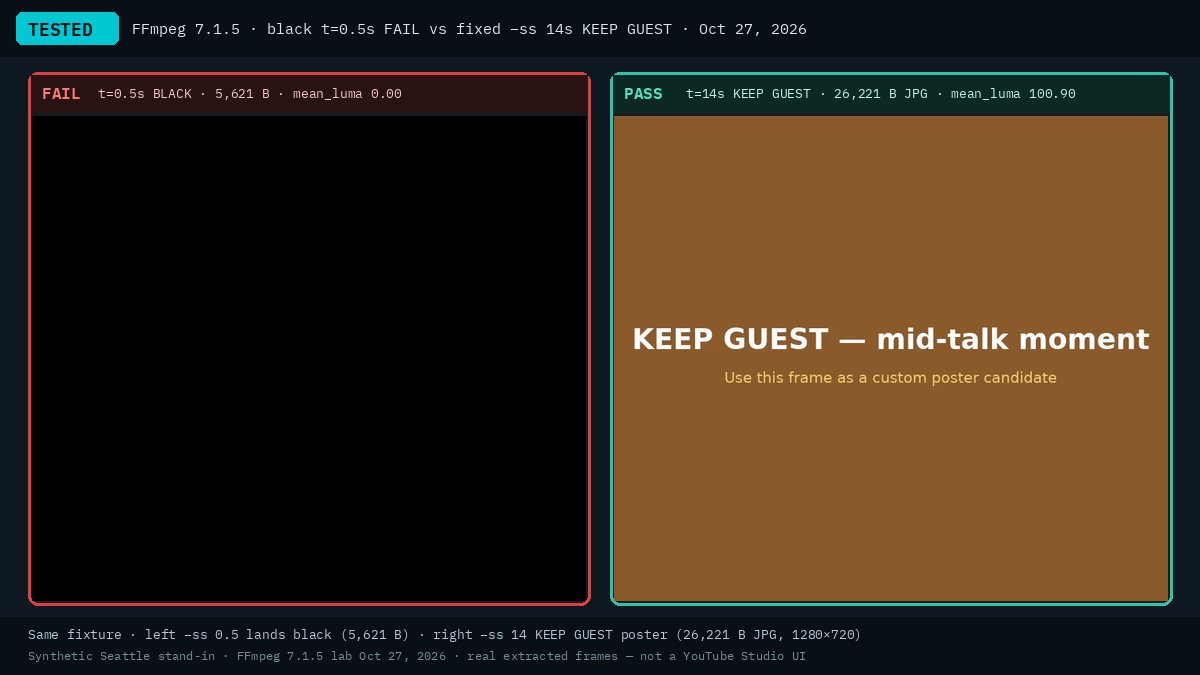
-ss 0.5 inside the black open → 5,621 bytes, mean luma 0.00 (October 27, 2026).Verdict
If your job is “pull one readable still from a finished MP4 for a custom YouTube / social thumbnail,” fixed -ss at a known good timecode plus scale=1280:720 and a JPG write is the path we trust on this box. Our guest-frame grab at t=14 s measured 1280×720 and 26,221 bytes (mean luma 100.90). Bare thumbnail=n=100 from the start of the same file still selected pts 0.000 — a black still of 5,621 bytes. Skipping the 2 s slate (-ss 2 then thumbnail) or widening the batch to n=200 recovered a HOST card (28,415 bytes, mean luma 50.42). Prefer a GUI scrubber only when you already have the player open and one file; prefer FFmpeg when you need a scriptable poster for every export.
- Pro: Fixed
-ssbefore or after-igave identical guest JPG bytes on this short synthetic — pasteable and reproducible. - Pro: Same guest frame as WebP q80 was 9,184 bytes vs JPG 26,221 vs PNG 53,421 — format tradeoffs are measurable.
- Pro: Wrong-path failure is loud and immediate (
No such file or directory) — scripts can catch it. - Con: Bare
thumbnail+-frames:v 1on a black-open file can still emit the black frame; the filter is not a free “avoid slate” button. - Con: You still need a human eye (or a known good timecode) — automatic picks are representative of a batch, not of your brand poster.
- Limit: Synthetic title cards; no Studio upload proof; 1280×720 chosen as a practical 16:9 floor, not Help’s 3840×2160 ceiling.
What we extracted
Critical path: finished 16:9 MP4 → pick a non-black frame → scale to poster size → write JPG (check bytes) → hand the file to Studio or a social upload. Loudness belongs in the loudnorm review. Delivery encode size/CRF belongs in the delivery encode review. This article stops at the still.
- Start from an MP4 you already accept for picture. Ours: 24.000 s, 1280×720@30, H.264 + AAC, 258,572 bytes.
- Fixed grab: put
-ssat a known good second (we used 14 for KEEP GUEST),-frames:v 1,scale=1280:720, JPG. - Or auto-pick:
-vf thumbnail=n=…,scale=1280:720— but skip known black opens first. - Record width×height and file bytes. Glance at the still before upload.
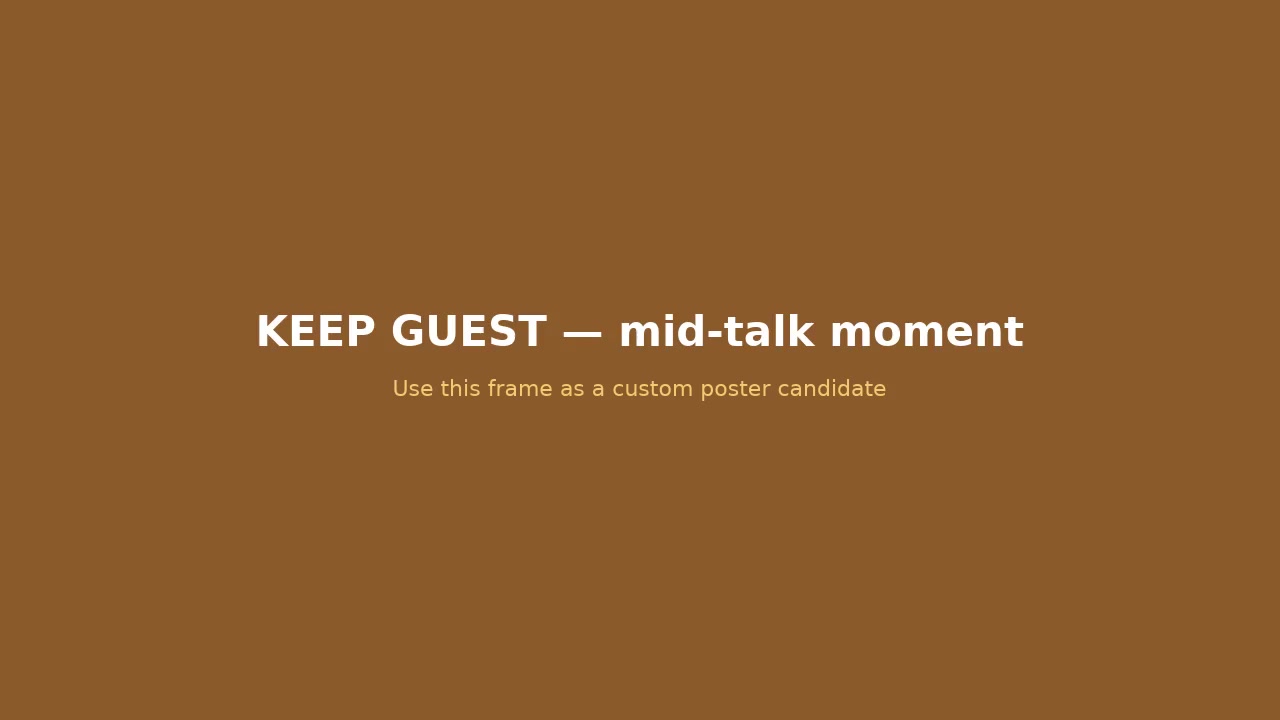
-ss 14 guest still — 26,221 bytes JPG at 1280×720. Synthetic stand-in, not a real interview face.Fixed -ss: the frame you meant
# Input-side seek (fast jump, then decode)
ffmpeg -y -ss 14 -i seattle_interview_poster_src.mp4 \
  -frames:v 1 -vf "scale=1280:720" -q:v 2 poster_ss14.jpg

# Output-side seek (decode from start, discard until t=14)
ffmpeg -y -i seattle_interview_poster_src.mp4 -ss 14 \
  -frames:v 1 -vf "scale=1280:720" -q:v 2 poster_ss14_after.jpg
According to the FFmpeg documentation, -ss before -i seeks in the input (closest seek point; with default accurate seek while transcoding, preroll is discarded). After -i, FFmpeg decodes and discards until timestamps reach the position. On this 24 s fixture both commands wrote 26,221-byte JPGs at 1280×720 with the same mean luma. Treat that equality as a lab observation, not a promise for every GOP.
The thumbnail filter is not immune to black opens
FFmpeg’s thumbnail filter picks the “most representative” frame from each batch of n frames (default 100). Creators on r/ffmpeg reach for it when they do not want to name a timecode. On our black-open file, the first batch still logged frame id #0 (pts_time=0.000000) selected — and with -frames:v 1 that black still is what you get (5,621 bytes, mean luma 0.00).
# Bare — failed on this black-open fixture
ffmpeg -y -i seattle_interview_poster_src.mp4 \
  -vf "thumbnail=n=100,scale=1280:720" -frames:v 1 -q:v 2 thumb_bare.jpg

# Skip the 2 s slate, then let thumbnail pick
ffmpeg -y -ss 2 -i seattle_interview_poster_src.mp4 \
  -vf "thumbnail=n=100,scale=1280:720" -frames:v 1 -update 1 -q:v 2 thumb_ok.jpg

# Or constrain to a known good window (guest section)
ffmpeg -y -ss 10 -to 18 -i seattle_interview_poster_src.mp4 \
  -vf "thumbnail=n=50,scale=1280:720" -frames:v 1 -update 1 -q:v 2 thumb_guest.jpg
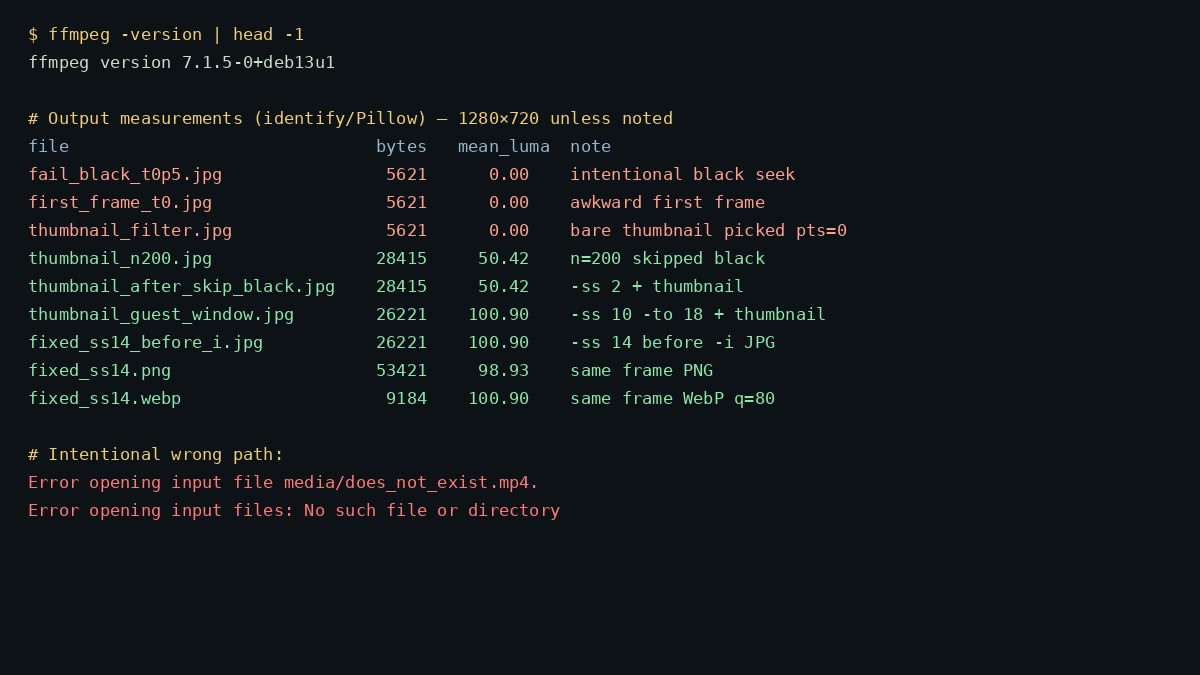
After skipping black: 28,415 bytes, mean luma 50.42 (HOST card). Guest window: 26,221 bytes, mean luma 100.90. Widening to n=200 from the start also escaped pure black (frame id #68 @ ~2.27 s) — still not a substitute for knowing where your face/title lives.

thumbnail output from this lab: same black still as t=0 / t=0.5 — 5,621 bytes.JPG vs PNG vs WebP on the same guest frame
YouTube Help lists JPG and PNG for custom thumbnails (opened October 27, 2026); desktop upload limit cited there is 50 MB, with a recommended long-form resolution up to 3840×2160 and a 16:9 aspect. We stayed at 1280×720 — a common creator floor that stays under mobile size anxiety without inventing an upscale from synthetic cards.
| Output | Resolution | Bytes | Mean luma | Note |
|---|---|---|---|---|
Black -ss 0.5 JPG | 1280×720 | 5,621 | 0.00 | Intentional FAIL |
Bare thumbnail JPG | 1280×720 | 5,621 | 0.00 | Picked pts 0 |
Fixed -ss 14 JPG | 1280×720 | 26,221 | 100.90 | KEEP GUEST |
| Same frame PNG | 1280×720 | 53,421 | 98.93 | Larger lossless-ish still |
| Same frame WebP q80 | 1280×720 | 9,184 | 100.90 | Smallest; confirm host accepts WebP |
-ss 2 + thumbnail JPG | 1280×720 | 28,415 | 50.42 | HOST after slate skip |
Primary numbers are Pillow/ffprobe on files in this lab’s evidence folder (October 27, 2026). WebP won on bytes here; JPG remains the safe default for YouTube Help’s listed formats when you have not verified WebP on the destination.
What failed on purpose
- Black-second seek:
-ss 0.5→ black JPG 5,621 bytes, mean luma 0.00. Same trap as uploading “whatever is frame zero.” - Bare thumbnail on black-open media: selected pts 0 — same black bytes as above.
- Wrong path:
media/does_not_exist.mp4→Error opening input file … No such file or directory. No output file.
Who it suits
FFmpeg poster extraction fits a creator or editor who already scripts delivery encodes and wants a measured, pasteable still for custom YouTube / social thumbnails after the picture is locked. Prefer fixed -ss when you know the beat; prefer thumbnail only after you skip slates or constrain a window. Prefer a design tool when the job is typography and branding on top of the still — we did not bake overlays here. According to YouTube Help on custom thumbnails, verified accounts can upload JPG/PNG custom images; we did not exercise that click in this run.
Limits of this test
- 24-second synthetic title-card fixture; not a real multi-cam interview.
- Linux CLI only; Windows/macOS builds unverified.
- No YouTube Studio / Shorts / Instagram upload in this run.
- No GUI player picker comparison.
- No upscale to 3840×2160; 1280×720 is a deliberate practical target.
- Embedded
attached_picand batch folder scripts untested.
Sources and evidence
Filter and seek behavior were checked against FFmpeg’s Filters manual (thumbnail) and the ffmpeg.html -ss wording (October 27, 2026). Forum threads (r/ffmpeg, r/NewTubers) informed which user problems to test — not their sample commands or numbers. YouTube Help custom-thumbnail size/format pages were opened; we do not claim Studio will accept every WebP or preserve every pixel after recompression. Command logs, versions, probes, and frames live in ToolBrivio’s evidence archive for this review (ffmpeg-youtube-thumbnail, October 27, 2026).
- FFmpeg Filters — thumbnail
- FFmpeg documentation —
-ssinput/output - YouTube Help: Add custom thumbnails
- r/ffmpeg: Thumbnail extraction techniques (Needs trigger)
- r/NewTubers: thumbnail size / black borders (Needs trigger)
- FFmpeg delivery encode review (picture/size path)
- FFmpeg loudnorm interview review (loudness path — different job)