
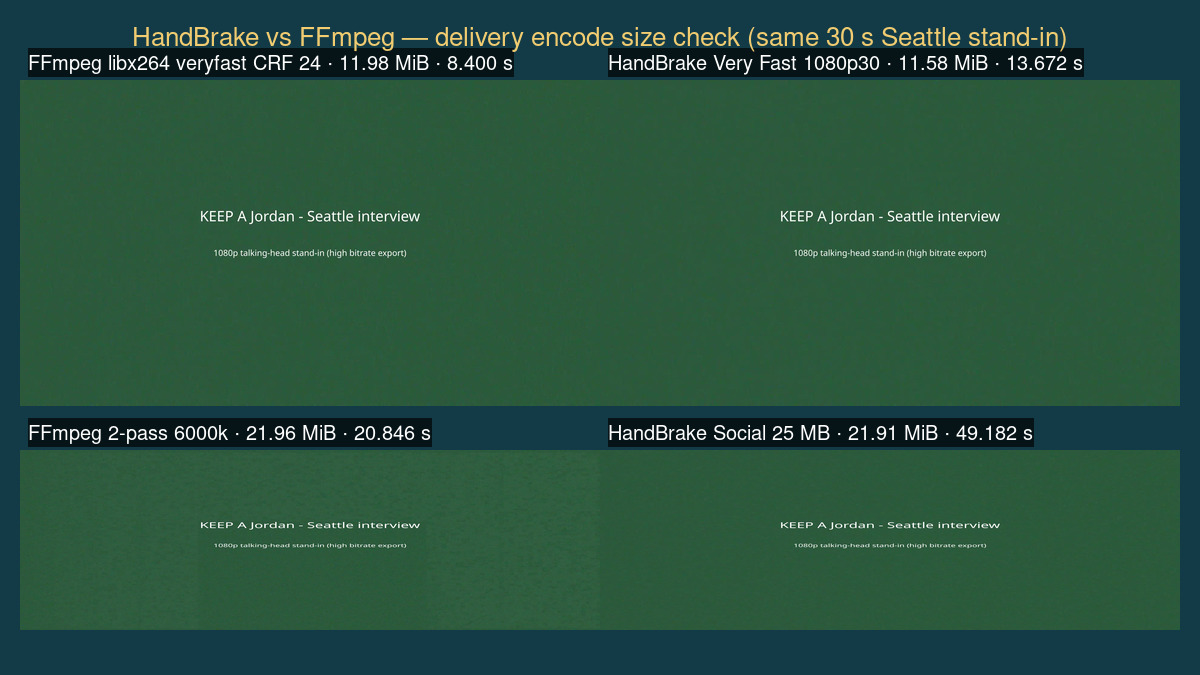
veryfast CRF 24 (11.98 MiB) and HandBrake Very Fast 1080p30 (11.58 MiB), plus the Social / 6000k pair—labels are measured sizes from this comparison, not marketing copy.By ToolBrivio Editorial · Hands-on comparison of HandBrake 1.9.2 (Debian handbrake-cli 1.9.2+ds1-1; sizes cited from our HandBrake delivery encode review) and FFmpeg 7.1.5-0+deb13u1 on Linux, October 16, 2026, using the same fixture. We earn no affiliate commission from links on this page. Research approach · Link disclosure.
LosslessCut already dropped the retakes. The keep file is still huge, and the platform or client wants a smaller MP4 you can name and re-run. That is a delivery encode—lossy re-encode—not another stream-copy cut and not an MKV language mux. The fork is HandBrake’s preset picker (or HandBrakeCLI) versus an FFmpeg libx264 line you own. We ran FFmpeg on the same 30.000 s, 1920×1080 Seattle interview stand-in used in the HandBrake review and put the byte counts next to each other.
Test basis: Debian 13; HandBrake 1.9.2 numbers from the published CLI evidence (not re-timed here); FFmpeg/ffprobe 7.1.5 new encodes in this comparison. Source: 1,102,887,801 bytes (1051.80 MiB), synthetic color+noise panels—not a client shoot. Software x264 only. We did not score picture quality, VMAF, Windows/macOS installers, or hardware encoders.
Short answer by job
| Your job | Lean toward | Why (from this test) |
|---|---|---|
| Need a named preset you can quote without memorizing flags | HandBrake GUI / CLI preset | Very Fast 1080p30 and Social 25 MB 30 Seconds 1080p60 are discoverable in the Presets list; our HandBrake CLI logs matched those names to RF/bitrate behavior. |
| Batch the same encode in CI or a shell habit | FFmpeg or HandBrakeCLI | Both are scriptable. FFmpeg wins when you already keep a reviewed command; HandBrakeCLI wins when the team’s shared recipe is a preset string. |
| Match a client “RF 22 / medium / High@L4.0” brief in writing | Either, but copy all constraints | Bare FFmpeg -crf 22 -preset medium wrote 180.90 MiB here. Adding HandBrake’s Level 4.0 VBV (-maxrate 25000k -bufsize 31250k) landed at 86.83 MiB—within ~1% of HandBrake’s 87.46 MiB. |
| Hard byte cap (~25 MB for a 30 s clip) | HandBrake Social or FFmpeg 2-pass bitrate | HandBrake Social: 21.91 MiB. FFmpeg 2-pass 6000k: 21.96 MiB. Both under 25 MB on this fixture; neither is a universal guarantee for every source. |
What we compared
Critical path: fat post-cut 1080p MP4 → smaller delivery MP4. HandBrake side (already measured): Very Fast 1080p30, custom x264 RF 22 / medium / High@L4.0, Social 25 MB / 30 s. FFmpeg side (new): veryfast CRF 24 + Main@L4.0; medium CRF 22 High@L4.0 uncapped and with matched VBV; 2-pass -b:v 6000k High@L4.2. Audio on FFmpeg runs: AAC 160 kbps, +faststart. This is not a mux job—see MKVToolNix vs FFmpeg for labeled MKV delivery—and not a lossless trim—see LosslessCut interview cut.
Fast path: Very Fast vs veryfast CRF 24
HandBrake (cited):
HandBrakeCLI -i seattle_interview_delivery_src.mp4 \
  -o seattle_vf1080p30.mp4 --preset "Very Fast 1080p30"
Result: 12,144,422 bytes (11.58 MiB) in 13.672 s; x264 veryfast RF 24, Main@L4.0. HandBrake’s log also applied vbv-maxrate=20000 / vbv-bufsize=25000.
FFmpeg (this run):
ffmpeg -y -i seattle_interview_delivery_src.mp4 \
  -c:v libx264 -preset veryfast -crf 24 -profile:v main -level 4.0 \
  -pix_fmt yuv420p -r 30 -c:a aac -b:a 160k -movflags +faststart \
  ff_veryfast_crf24.mp4
Result: 12,562,019 bytes (11.98 MiB) in 8.400 s; Main@L4.0, ~3.18 Mbps video, duration 30.000 s. We did not mirror HandBrake’s VBV on this line; sizes still landed within ~0.4 MiB on this noisy stand-in.
RF / CRF 22: the VBV gotcha
HandBrake custom RF 22 (cited): 91,704,820 bytes (87.46 MiB) in 51.236 s. The encode log shows HandBrake injected vbv-maxrate=25000:vbv-bufsize=31250 with level 4.0—even though we asked for RF, not a bitrate cap.
FFmpeg without that cap:
ffmpeg … -c:v libx264 -preset medium -crf 22 -profile:v high -level 4.0 …Result: 189,687,049 bytes (180.90 MiB) in 31.509 s (~50 Mbps). Same CRF number, same preset name, roughly double the HandBrake file on this grainy source.
FFmpeg with HandBrake-matched VBV:
ffmpeg … -c:v libx264 -preset medium -crf 22 -profile:v high -level 4.0 \
  -maxrate 25000k -bufsize 31250k …
Result: 91,044,003 bytes (86.83 MiB) in 26.237 s (~24.1 Mbps)—within about 1% of HandBrake’s RF 22 output. Teaching point: when a client pastes “RF 22,” ask whether Level / VBV from a HandBrake (or Blu-ray-style) profile is part of the brief. We are not declaring a quality winner; we measured bytes.
-maxrate 25000k -bufsize 31250k: 86.83 MiB—size class matches HandBrake RF 22 on this fixture.Size-cap path: Social vs 2-pass 6000k
HandBrake Social 25 MB / 30 s (cited): 22,974,094 bytes (21.91 MiB) in 49.182 s; stayed 30 fps on our 30 fps source despite the “1080p60” preset name.
FFmpeg 2-pass targeting the ~6 Mbps video rate HandBrake’s Social log showed:
ffmpeg -y -i seattle_interview_delivery_src.mp4 \
  -c:v libx264 -preset medium -b:v 6000k -pass 1 -profile:v high -level 4.2 \
  -pix_fmt yuv420p -r 30 -an -f null /dev/null
ffmpeg -y -i seattle_interview_delivery_src.mp4 \
  -c:v libx264 -preset medium -b:v 6000k -pass 2 -profile:v high -level 4.2 \
  -pix_fmt yuv420p -r 30 -c:a aac -b:a 160k -movflags +faststart \
  ff_social_2pass_6000k.mp4
Result: 23,021,560 bytes (21.96 MiB / ~23.02 MB decimal) in 20.846 s total (pass1 9.197 + pass2 11.649)—under 25 MB, within ~0.05 MiB of HandBrake Social here. Deviation from a strict 25.00 MB target: both tools undershot; we did not tune to hit the ceiling.
Results table
| Check | HB Very Fast | FF veryfast CRF24 | HB RF22 | FF CRF22 + VBV | FF CRF22 bare | HB Social | FF 2-pass 6M |
|---|---|---|---|---|---|---|---|
| MiB | 11.58 | 11.98 | 87.46 | 86.83 | 180.90 | 21.91 | 21.96 |
| Bytes | 12,144,422 | 12,562,019 | 91,704,820 | 91,044,003 | 189,687,049 | 22,974,094 | 23,021,560 |
| Wall | 13.672 s | 8.400 s | 51.236 s | 26.237 s | 31.509 s | 49.182 s | 20.846 s |
| Control | RF24 + VBV20 | CRF24 (no VBV) | RF22 + VBV25 | CRF22 + VBV25 | CRF22 only | ~6 Mbps path | 2-pass 6000k |
| Res / dur | All: 1920×1080 · video 30.000 s (format ≈30.016 s) | ||||||
Wall times are software x264 on this box only. Faster FFmpeg clocks here are not a ranking claim for every machine—HandBrake and FFmpeg were not run as a controlled same-process benchmark suite beyond documenting each command’s wall clock.
Pros and cons tied to measurements
- HandBrake pro: Preset names are findable in the GUI and reproducible on CLI; Social hit 21.91 MiB under a 25 MB label without us inventing a bitrate.
- HandBrake pro: RF jobs quietly carry Level/VBV defaults that keep noisy sources from exploding in size (87.46 MiB vs our uncapped FFmpeg 180.90 MiB at the same RF/CRF).
- HandBrake con: Preset name can mislead on frame rate (Social “…1080p60” stayed 30 fps). You still need ffprobe.
- HandBrake con: Every path re-encodes; wrong tool for lossless dead-air cuts.
- FFmpeg pro: Exact flags are the recipe. Matched VBV + CRF 22 reproduced HandBrake’s RF 22 size class within ~1% here; 2-pass 6000k matched Social size within ~0.05 MiB.
- FFmpeg con: No preset browser—easy to ship a “CRF 22” line that is not what HandBrake meant. Discoverability is on you.
- FFmpeg con: Size-cap workflows need an explicit bitrate/2-pass (or other) strategy; there is no built-in “Social 25 MB” label.
Recommendation
If you want to pick a delivery encode by reading a preset name once and repeating it, start in HandBrake (GUI to confirm, HandBrakeCLI to batch). If your pipeline already owns FFmpeg and you will paste the full line—including profile, level, and any VBV HandBrake would have added—use FFmpeg and verify with ffprobe. Do not treat “CRF 22” alone as interchangeable with HandBrake RF 22 on a noisy source. Do not use either tool when you only need a lossless trim.
For the solo HandBrake walkthrough and GUI screenshots (About 1.9.2, Presets, Queue, Activity Log), see the HandBrake delivery encode review. For language-tagged MKV mux after you have a picture file, see MKVToolNix vs FFmpeg.
Limits of this comparison
- 30-second synthetic fixture; not hour-long throughput proof.
- Linux software x264 only; NVENC/QSV/AV1/HEVC unverified.
- HandBrake sizes/times cited from the same-day CLI evidence archive; FFmpeg re-run on the same source file.
- No VMAF, no blind A/B quality ranking, no Windows/macOS GUI timing.
- We did not mirror HandBrake Very Fast’s VBV on the FFmpeg fast path (sizes were already close).