
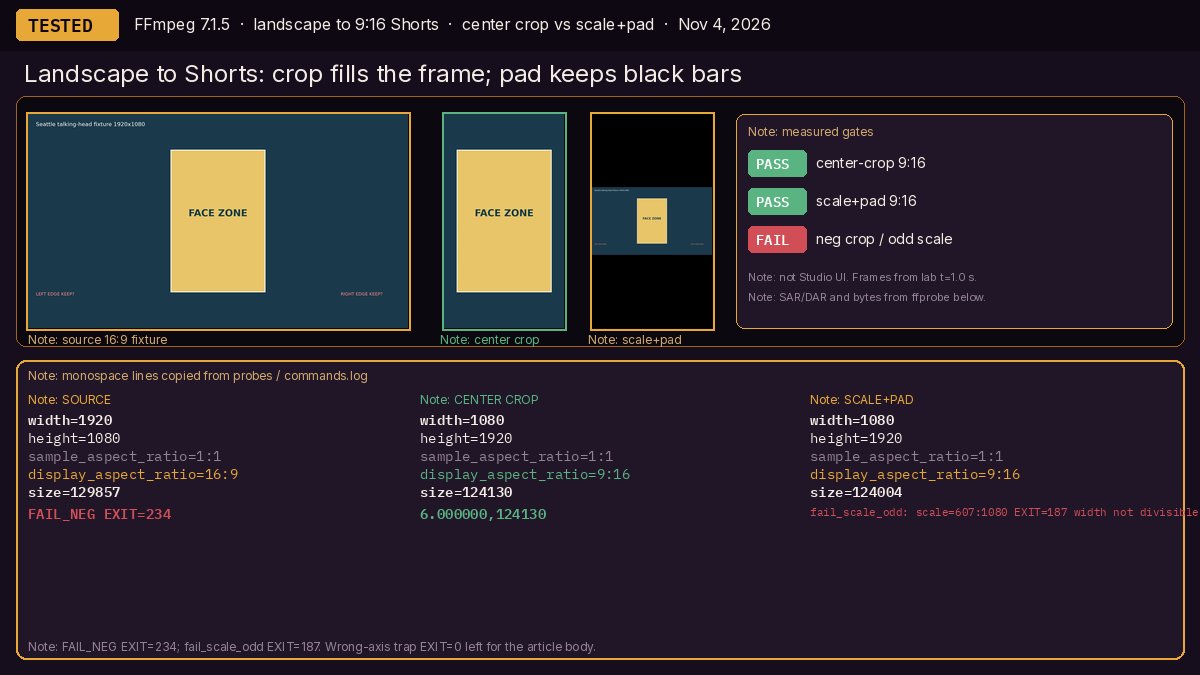
By ToolBrivio Editorial · Hands-on test of FFmpeg/ffprobe 7.1.5-0+deb13u1 on Debian 13, November 4, 2026, plus the official FFmpeg Filters pages for crop, scale, and pad, and Stack Overflow threads on vertical crop / pad where marked. This is the landscape-to-9:16 geometry step - not face-tracking reframing, not concat, burn-in, loudnorm, or delivery CRF ladders. We earn no affiliate commission from links on this page. Research approach · Link disclosure.
You have a finished landscape interview or talking-head. Shorts wants a vertical file. You do not want to rebuild the timeline in an NLE just to change the frame. The two CLI moves people argue about are a centered crop into 9:16, and a scale+pad that keeps the whole picture inside black bars. We ran both on one synthetic fixture and kept the exit codes when the math went wrong.
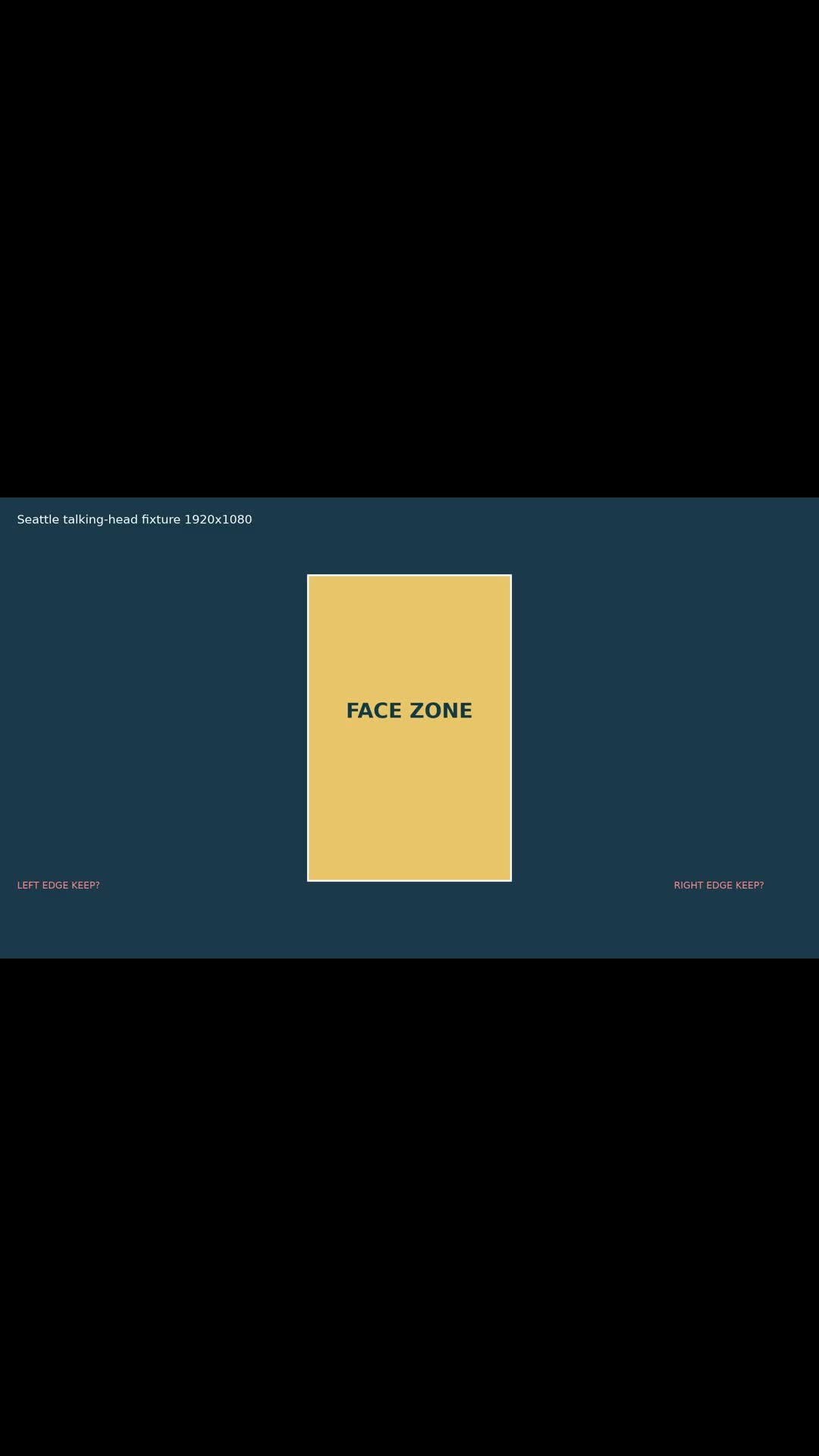
Review basis: FFmpeg/ffprobe 7.1.5-0+deb13u1 on Debian 13. Fixture: lavfi color + drawbox “FACE ZONE” + drawtext labels in US English (Seattle talking-head card), 1920×1080@30, yuv420p, H.264 + AAC mono 48 kHz, duration 6.000000 s, 129,857 bytes. Secondary 1280×720 clip for a 720×1280 path. No stock interview footage.
Verdict
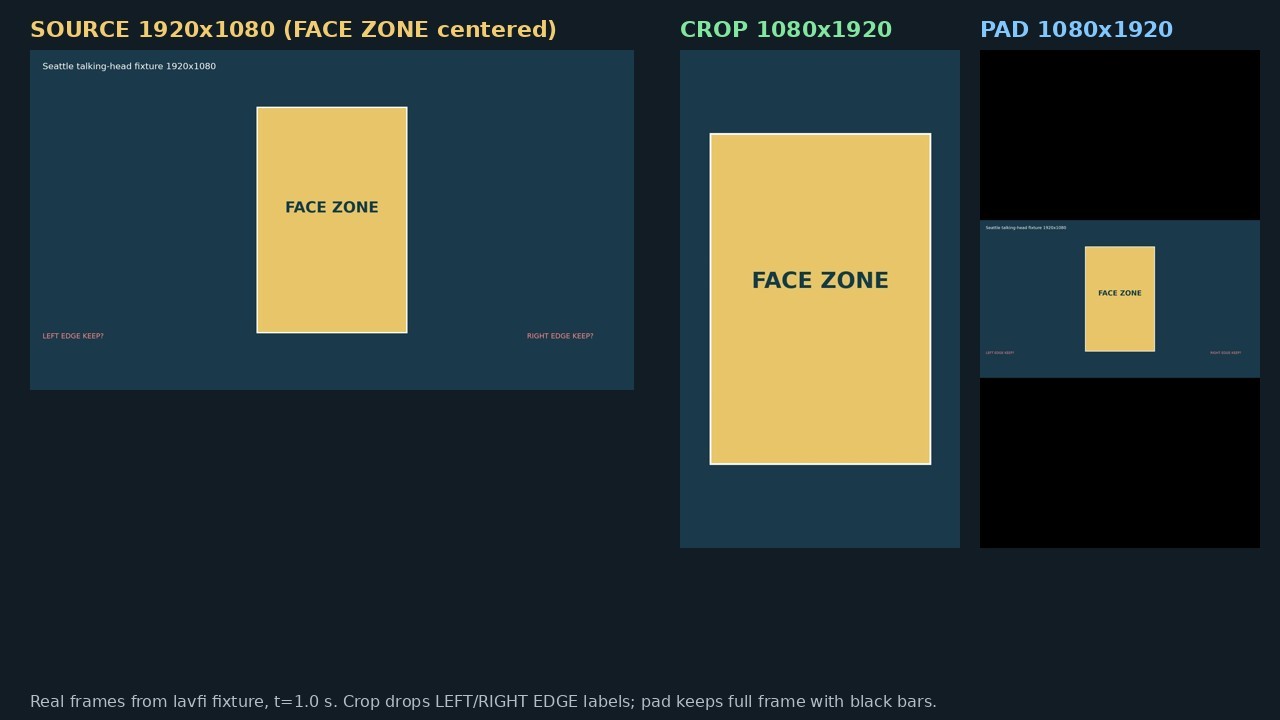
If the talent sits near center and you need a true full-bleed Shorts frame, center crop then scale to an even target (1080×1920 or 720×1280) is the path we would hand a batch script. If losing the left/right edges is unacceptable, use scale+pad and accept black bars - do not pretend pad is “full vertical coverage.” Face tracking, auto reframing, and phone upload preview were not tested.
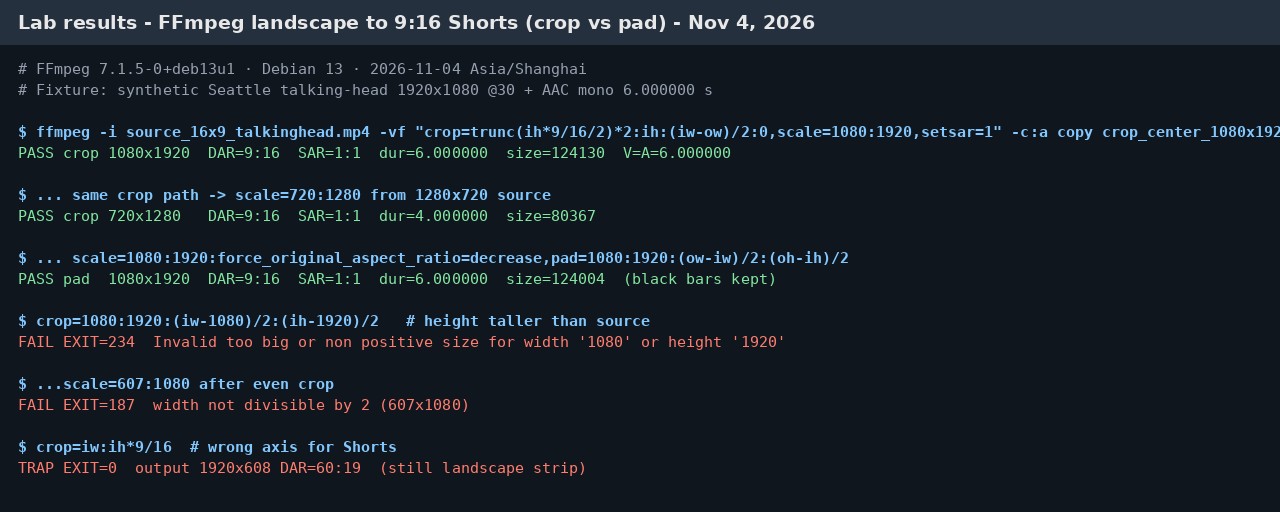
- Pro: Center crop to 1080×1920 landed DAR 9:16, SAR 1:1, duration 6.000000 s, 124,130 bytes; video and audio streams both 6.000000 s with
-c:a copy. - Pro: Same recipe on a 1280×720 source produced 720×1280 in 4.000000 s / 80,367 bytes.
- Pro: Scale+pad to 1080×1920 also exited 0 (124,004 bytes) with matching 6.000000 s A/V; useful when you must keep both side edges.
- Con: Cropping
1080:1920from a 1080-tall source failed hard: EXIT=234,Invalid too big or non positive size for width '1080' or height '1920'. - Con: Scaling the even crop to odd width 607 failed libx264: EXIT=187,
width not divisible by 2 (607x1080). - Con: A wrong-axis crop (
crop=iw:ih*9/16) still exited 0 and wrote 1920×608 (DAR 60:19) - a silent landscape strip, not a Shorts frame. - Limit: Center crop assumes the face is near mid-frame; our FACE ZONE was drawn centered on purpose. Off-center guests need a manual x offset or a tool we did not test. No GPU path. No platform ranking claims.
What we converted
Critical path: 16:9 talking-head → even 9:16 geometry → ffprobe WxH/SAR/duration → frame check. Loudness belongs in the loudnorm interview review. Hardsub belongs in the burn-in review. Same-codec join belongs in the concat demuxer review. Delivery CRF belongs in the delivery encode review. This article stops at crop vs pad.
- Build a legal 16:9 sample (ours: lavfi + FACE ZONE).
- Center-crop width to an even 9:16 strip, then scale to 1080×1920 or 720×1280.
- Run a scale+pad contrast to the same canvas.
- Break the math on purpose; keep exit codes and stderr.
| File | WxH | DAR | Duration (s) | Bytes |
|---|---|---|---|---|
| source 1080p | 1920×1080 | 16:9 | 6.000000 | 129,857 |
| crop → 1080×1920 | 1080×1920 | 9:16 | 6.000000 | 124,130 |
| pad → 1080×1920 | 1080×1920 | 9:16 | 6.000000 | 124,004 |
| crop raw (no scale) | 606×1080 | 101:180 | 6.000000 | 113,107 |
| crop → 720×1280 | 720×1280 | 9:16 | 4.000000 | 80,367 |
| pad → 1:1 | 1080×1080 | 1:1 | 6.000000 | 124,303 |
Center crop that worked
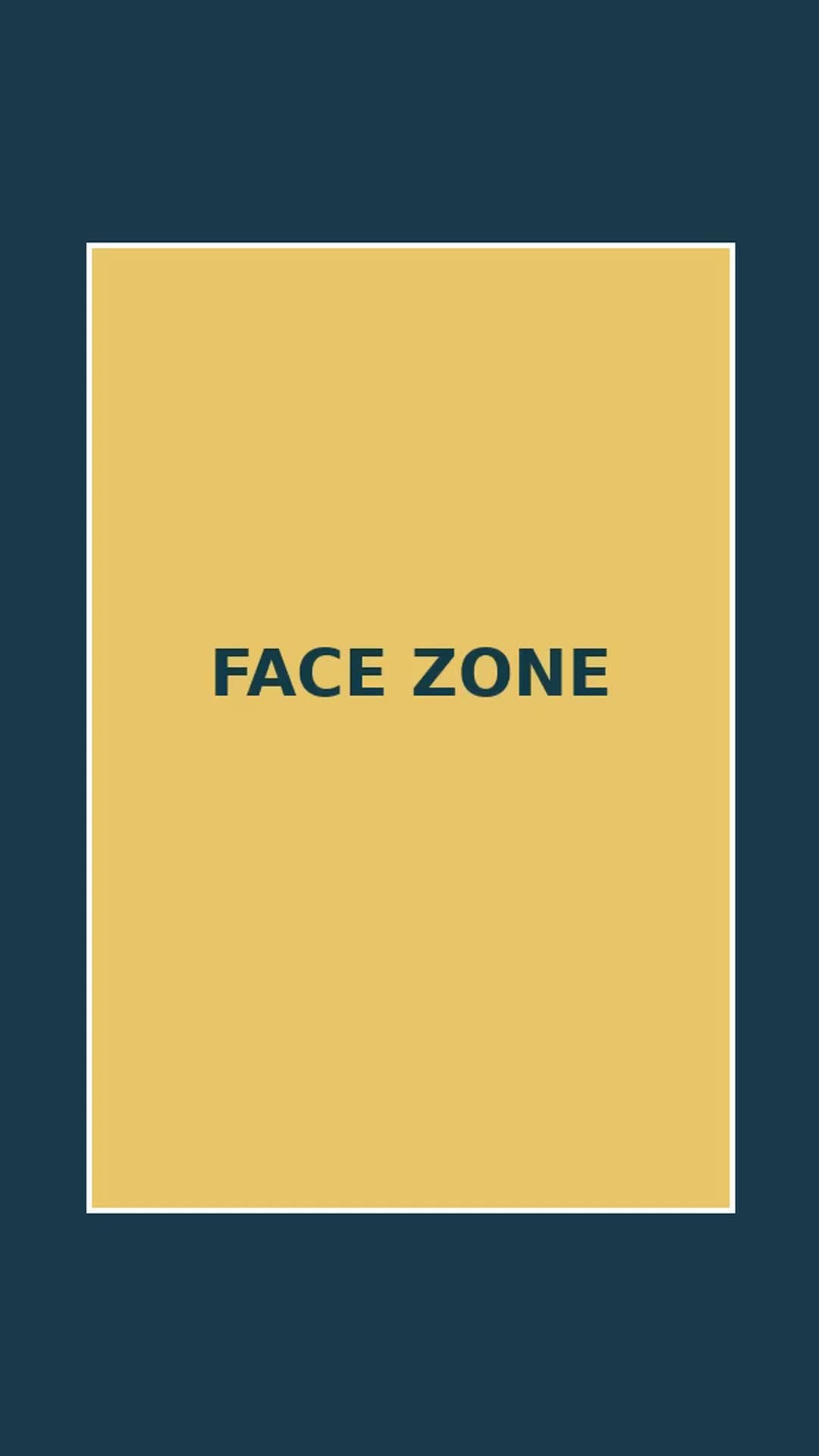
For a 16:9 frame, a 9:16 window that keeps full height has width ih*9/16. On 1080 that is 607.5 - not safe to hand raw to libx264. We forced an even width first, then scaled:
ffmpeg -i source_16x9_talkinghead.mp4 \
  -vf "crop=trunc(ih*9/16/2)*2:ih:(iw-ow)/2:0,scale=1080:1920:flags=lanczos,setsar=1" \
  -c:v libx264 -pix_fmt yuv420p -preset veryfast -crf 18 \
  -c:a copy \
  crop_center_1080x1920.mp4
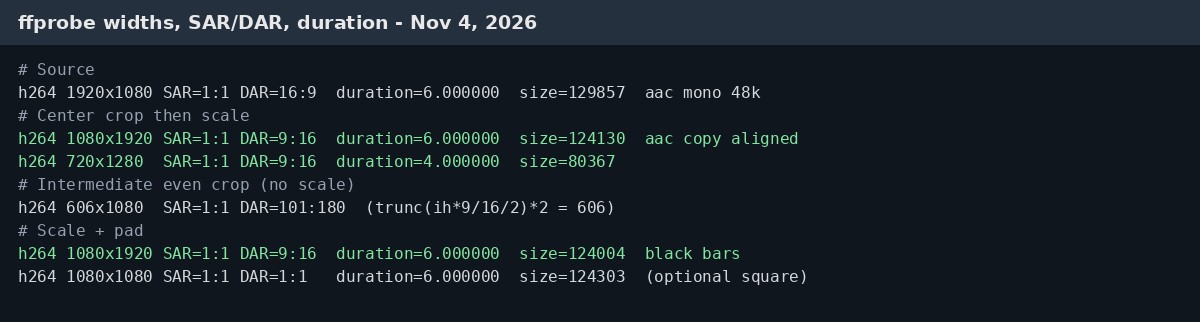
Intermediate crop without scale measured 606×1080 (trunc(ih*9/16/2)*2). After scale: 1080×1920, SAR 1:1, DAR 9:16. Audio was stream-copied; V/A/format durations all stayed 6.000000 s.
From the 720p fixture the same idea with scale=720:1280 produced 720×1280 in 4.000000 s. Pick one target for a batch and stick to even numbers.
Scale+pad contrast
When you must keep both sides of the 16:9 picture, fit inside the vertical canvas and pad:
ffmpeg -i source_16x9_talkinghead.mp4 \
  -vf "scale=1080:1920:force_original_aspect_ratio=decrease,pad=1080:1920:(ow-iw)/2:(oh-ih)/2:color=black,setsar=1" \
  -c:v libx264 -pix_fmt yuv420p -preset veryfast -crf 18 \
  -c:a copy \
  pad_scale_1080x1920.mp4
Result: 1080×1920, 124,004 bytes, duration 6.000000 s, A/V aligned. The picture is letterboxed inside the vertical frame. That is honest geometry, not a “zoomed Short.” We also ran a 1:1 pad to 1080×1080 (124,303 bytes) for square posts - same tradeoff, smaller canvas.
What failed on purpose
- Crop taller than the source:
crop=1080:1920:(iw-1080)/2:(ih-1920)/2on a 1080-tall file. Filter:Invalid too big or non positive size for width '1080' or height '1920'. Process EXIT=234. Empty output. You must crop within the source first (or scale up before crop) - you cannot invent vertical pixels withcropalone. - Odd width into libx264: even crop then
scale=607:1080. Encoder:width not divisible by 2 (607x1080). EXIT=187. Community answers on “height/width not divisible by 2” match what we saw; usetrunc(.../2)*2,scale=-2:H, or pad-to-even. - Wrong axis, quiet success:
crop=iw:ih*9/16exited 0 and wrote 1920×608. That is still a landscape strip. Check DAR with ffprobe before you call it a Short.
Crop vs pad (short)
Official Filters docs define crop, scale, and pad as separate steps - they do not pick your editorial tradeoff. Stack Overflow threads we opened (vertical crop for TikTok-style specs; fit 1920×1080 into 1080×1920 with pad) line up with the split we measured: crop discards sides for fill; pad keeps sides and adds bars. Reddit threads we tried to open timed out and are not cited. The FFmpeg wiki Scaling page did not load (gateway/TLS) and is not cited.
Who it suits
FFmpeg crop/pad suits a creator or editor who already has a landscape master and needs a scripted Shorts geometry pass. If the guest sits off-center, preview a frame before batching - center crop will shave the face just like it shaved our LEFT/RIGHT EDGE labels. If you still need cuts first, finish those in a cut GUI (see LosslessCut interview cut review), then run geometry.
Limits of this test
- 6-second synthetic FACE ZONE fixture; not a real multi-cam interview.
- Linux CLI only; FFmpeg 7.1.5.
- Not tested: face-tracking / auto reframing.
- Not tested: GPU / NVENC filter paths.
- Not tested: iOS/Android upload preview or Shorts ranking.
- No deep retest of concat, burn-in, thumbnail, loudnorm, or delivery-encode in this lab.
Sources and evidence
Filter syntax was checked against FFmpeg’s Filters manual (crop, scale, pad) on November 4, 2026. Stack Overflow threads informed which failure modes to reproduce; numbers and exit codes are from this lab only. Reddit and the FFmpeg wiki Scaling page were not usable from this box and are not cited. Command logs, versions, probes, and frames live in ToolBrivio’s evidence archive for this review (ffmpeg-shorts-crop-pad, November 4, 2026).
- FFmpeg Filters - crop
- FFmpeg Filters - scale
- FFmpeg Filters - pad
- Stack Overflow: FFmpeg command for vertical / TikTok-style specs (Needs trigger)
- Stack Overflow: fit 1920×1080 into 1080×1920 with scale+pad (Needs trigger)
- Stack Overflow: libx264 width/height not divisible by 2 (Needs trigger)
- FFmpeg concat demuxer review
- FFmpeg burn-in subtitles review
- FFmpeg loudnorm interview review
- FFmpeg delivery encode review
- LosslessCut interview cut review